How to Record Lectures
Understanding the Legal Landscape of Lecture Recording
Walking into a lecture hall often feels like a race against time. The professor speaks at a lightning pace, and your hands move even faster trying to catch every vital detail. It is only natural to want to hit the record button on your phone or laptop to ensure you do not miss a single point. However, before you start capturing audio or video, it is crucial to understand the legal and ethical boundaries of recording in an academic setting. Many students assume that since they have paid tuition, the lecture is public domain, but this is rarely the case.
University lectures are generally considered the intellectual property of the professor or the institution itself. This means that the content delivered—the specific way information is structured, the proprietary research shared, and the creative delivery—is protected under copyright law. When you record without permission, you might inadvertently be infringing on these rights. Beyond copyright, privacy laws also play a significant role. Depending on where your university is located, there may be 'two-party consent' laws that require everyone in the room to agree to being recorded, especially if the recording captures student discussions or personal questions.
The first step in any recording journey should be checking your university student handbook. Most institutions have specific policies regarding digital recordings. Some departments may have a blanket ban, while others might allow it only if you have a documented disability through the campus accessibility office. Ignoring these rules can lead to more than just an awkward conversation; it can result in disciplinary action or academic misconduct charges that stay on your permanent record.
Why Professors Might Say No
It is important to see the situation from your professor's perspective. For many educators, the lecture hall is a safe space for open dialogue and the exchange of potentially controversial or experimental ideas. The presence of a recording device can stifle this environment. Students might be less likely to ask questions if they know their voice is being stored on someone else's device, and professors might feel they need to censor their own insights to avoid being taken out of context on social media.
Furthermore, there is a logistical concern regarding the distribution of these files. Once a recording exists, the faculty member loses control over where it goes. If a student uploads a lecture to a public forum or a note-sharing site, it can undermine the professor's future curriculum or even their employment. This is why gaining explicit, written consent is not just a legal hurdle but a sign of professional respect in the university ecosystem.
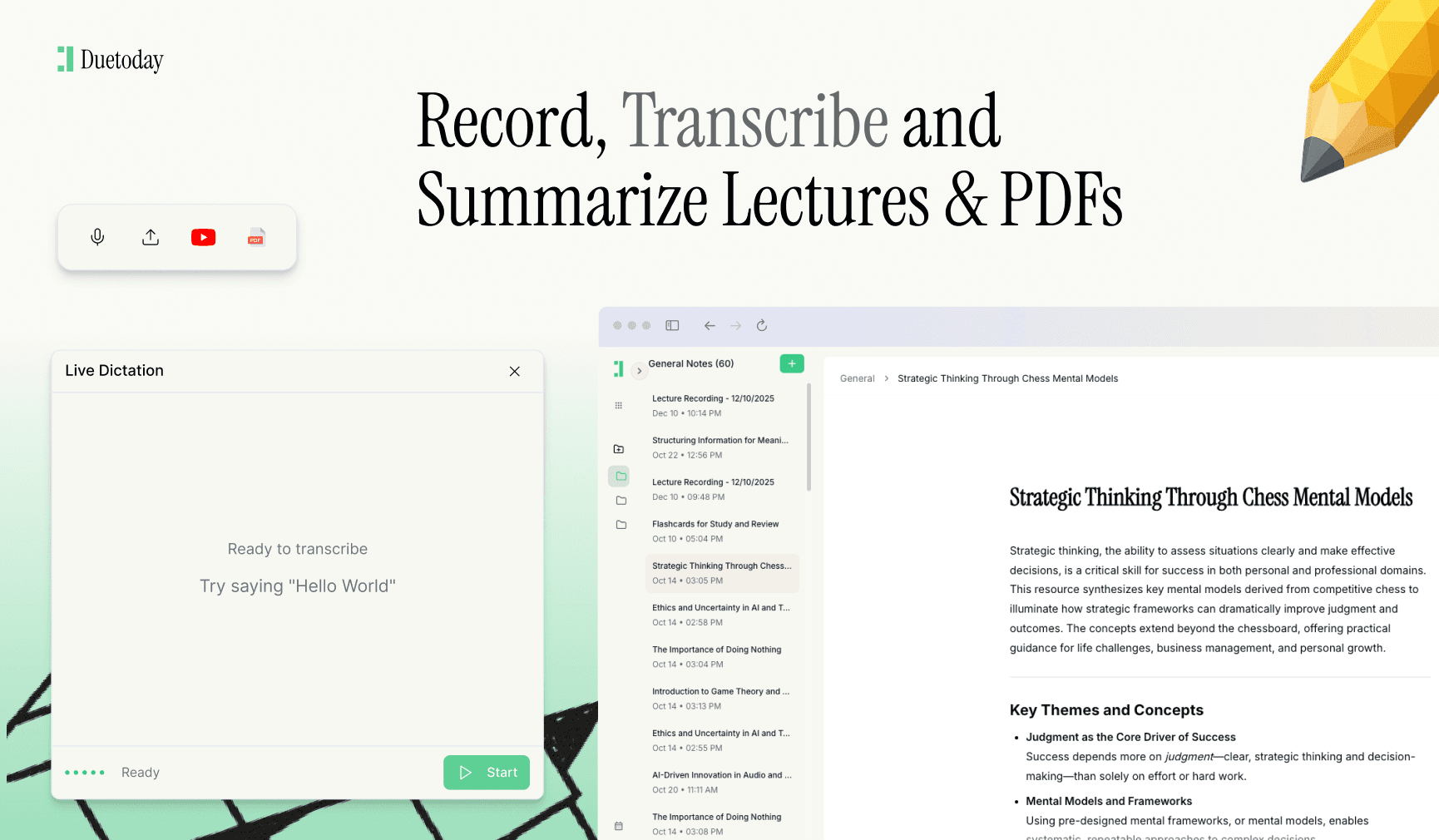
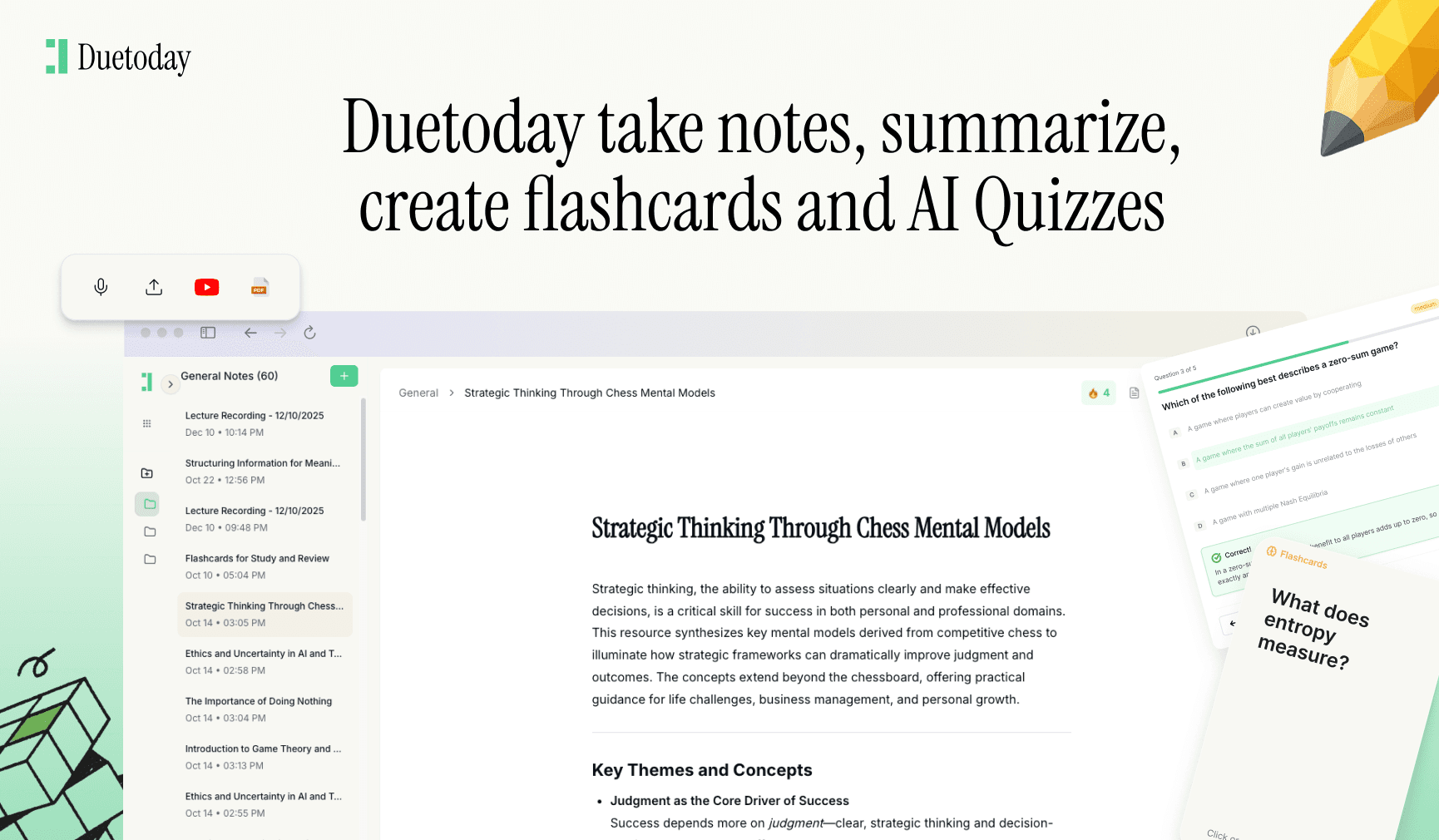
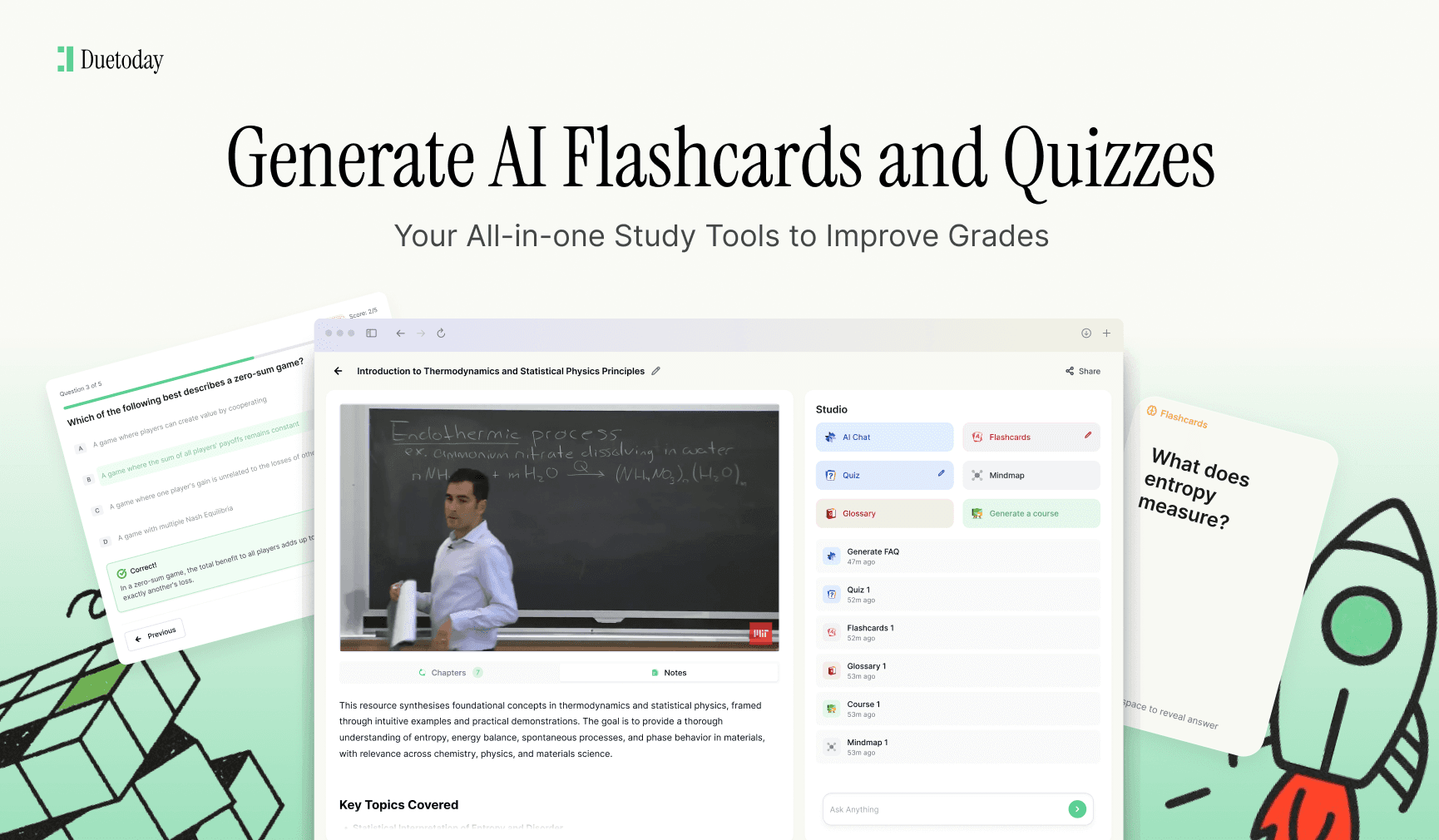
Once you have secured the necessary permissions to record your lectures, the real challenge begins: how do you actually use those hours of audio effectively? This is where Duetoday AI becomes an essential part of your study routine. Duetoday is an AI-powered learning platform that turns lectures, PDFs, and notes into summaries, flashcards, quizzes, and structured study tools automatically. It acts like a personalized AI tutor, helping students learn faster and stay organized by processing those long recordings and turning them into actionable study materials so you don't have to spend your entire weekend re-listening to every minute of class.
Practical Steps to Record Lectures Safely
If you have decided that recording is essential for your learning style, you should approach the process systematically. Start by sending a formal email to your professor before the semester begins. Explain your reasoning clearly—perhaps you find it difficult to keep up with note-taking, or English is your second language. Most professors are accommodating if they see you are being proactive and responsible about your learning needs. In your request, assure them that the recordings are for your personal use only and will be deleted at the end of the term.
If you receive a 'yes,' make sure your recording device is not intrusive. Placing a smartphone directly on the podium might be distracting. Instead, use a high-quality digital recorder placed near your seat or use recording software on your laptop. Always be transparent; if you are recording, it is good practice to remind the professor occasionally, especially if the class dynamic changes to a more private or sensitive discussion format. Avoid recording during guest lectures unless you have specifically asked the guest as well, as the professor's permission usually does not extend to outside speakers.
Managing Your Recorded Data
Once you have your recordings, you need a strategy for storage and usage. Treat these files with the same security you would treat a confidential document. Do not share them in group chats, do not upload them to YouTube, and certainly do not sell them. In many jurisdictions, the act of recording might be legal, but the act of distributing that recording without consent is a legal violation that could lead to a lawsuit. Keep your files organized by date and subject matter so you can find information quickly when finals week approaches.
It is also worth noting that recording should never be a total replacement for active listening. The best way to use a lecture recording is as a safety net. You should still take handwritten or typed notes during the session, marking down timestamps when the professor mentions something complex. Later, you can go back to those specific timestamps in your audio file to clarify the points you missed. This hybrid approach ensures you are engaging with the material twice, which significantly boosts memory retention compared to passively listening to a recording later on.
Finally, consider the ethical implications of recording your peers. In seminar-style classes where discussion is the primary mode of learning, recording becomes much more sensitive. If a classmate shares a personal anecdote related to the course material, they have a reasonable expectation of privacy. In these instances, it is often better to turn off the recorder and rely on manual notes to respect the privacy of your fellow students while still capturing the core academic concepts being discussed.
Can I record a lecture if I have a disability?
In most countries, accessibility laws require universities to provide reasonable accommodations, which often include the right to record lectures. You should coordinate this through your university's disability or student support services to ensure you have the formal documentation required.
What happens if I record a lecture without permission?
Recording without permission can lead to academic disciplinary action, a failing grade for the course, or in extreme cases, legal action for copyright infringement. Always check your syllabus or ask the professor directly to be safe.
Is it legal to share my recordings with other students?
Generally, no. Even if you have permission to record for personal use, that permission does not usually extend to sharing or distributing the file. Sharing recordings can violate intellectual property rights and university codes of conduct.
Can I post lecture clips on social media?
Posting lecture content on platforms like TikTok or YouTube without the professor's explicit consent is almost always a violation of their intellectual property and can lead to serious consequences from your university.
Are there apps that help with lecture recording?
Yes, there are many apps designed for students that sync audio with typed notes. However, the use of any app still requires consent from the instructor according to university policy.