How to Organise Digital Notes for Better University Grades
The Transition to Digital Note-Taking
Moving your entire academic life into a digital space is one of the smartest moves a university student can make today. Gone are the days of carrying five heavy binders across campus or losing the one piece of paper that contains your exam review notes. However, simply having a tablet or a laptop isn't enough. The real challenge lies in how you structure that information so that it actually serves you when finals week rolls around. Digital clutter can be just as paralyzing as physical clutter, if not more so, because it is invisible until you try to search for something specific and fail.
The secret to mastering digital notes is to view your devices as a second brain. You want to create a system that allows for quick capture and even quicker retrieval. This requires a shift in mindset from just transcribing what a lecturer says to actively curating a knowledge base. When you organise your digital notes effectively, you aren't just filing documents; you are building a roadmap for your future self to follow. This guide will walk you through the structural changes and habits needed to turn your messy folders into a streamlined learning machine.
Choosing the Right Hierarchy for Your Folders
Before you even type your first heading, you need a logical folder structure. Most students make the mistake of having one giant folder named 'University' and throwing everything inside. Instead, try a top-down approach. Start with a folder for the current academic year, then subfolders for each semester. Inside those semester folders, create a specific folder for every module or course code. This structure mirrors your university's internal system and makes it incredibly easy to archive old content when the year ends.
Inside each course folder, I recommend three distinct sub-folders: Lectures, Assignments, and Resources. The 'Lectures' folder is for your raw notes and initial thoughts. The 'Assignments' folder keeps your drafts, rubrics, and feedback in one place. Finally, the 'Resources' folder is where you store those PDFs, reading lists, and secondary materials that support your learning. By separating these, you avoid the frustration of wading through dozens of random files just to find your week 4 lecture notes.
The Power of Atomic Note-Taking
One of the most effective ways to manage digital information is the concept of atomic notes. Rather than writing one twenty-page document that covers an entire month of a course, try to keep your notes focused on single concepts or individual lectures. This makes them much easier to link together later on. Most digital note-taking apps now support internal linking, allowing you to connect a note about 'Microeconomics basics' to a specific case study you learned about three weeks later.
When you keep your notes atomic, you also improve your ability to review. It is far less intimidating to sit down and read a 500-word summary of a specific theory than it is to tackle a massive, disorganized document. This modular approach also allows you to move information around easily if you decide to restructure your study guide later. It turns your notes from a static record into a dynamic set of building blocks that you can rearrange as your understanding of the subject deepens.
Integrating Automation with Duetoday AI
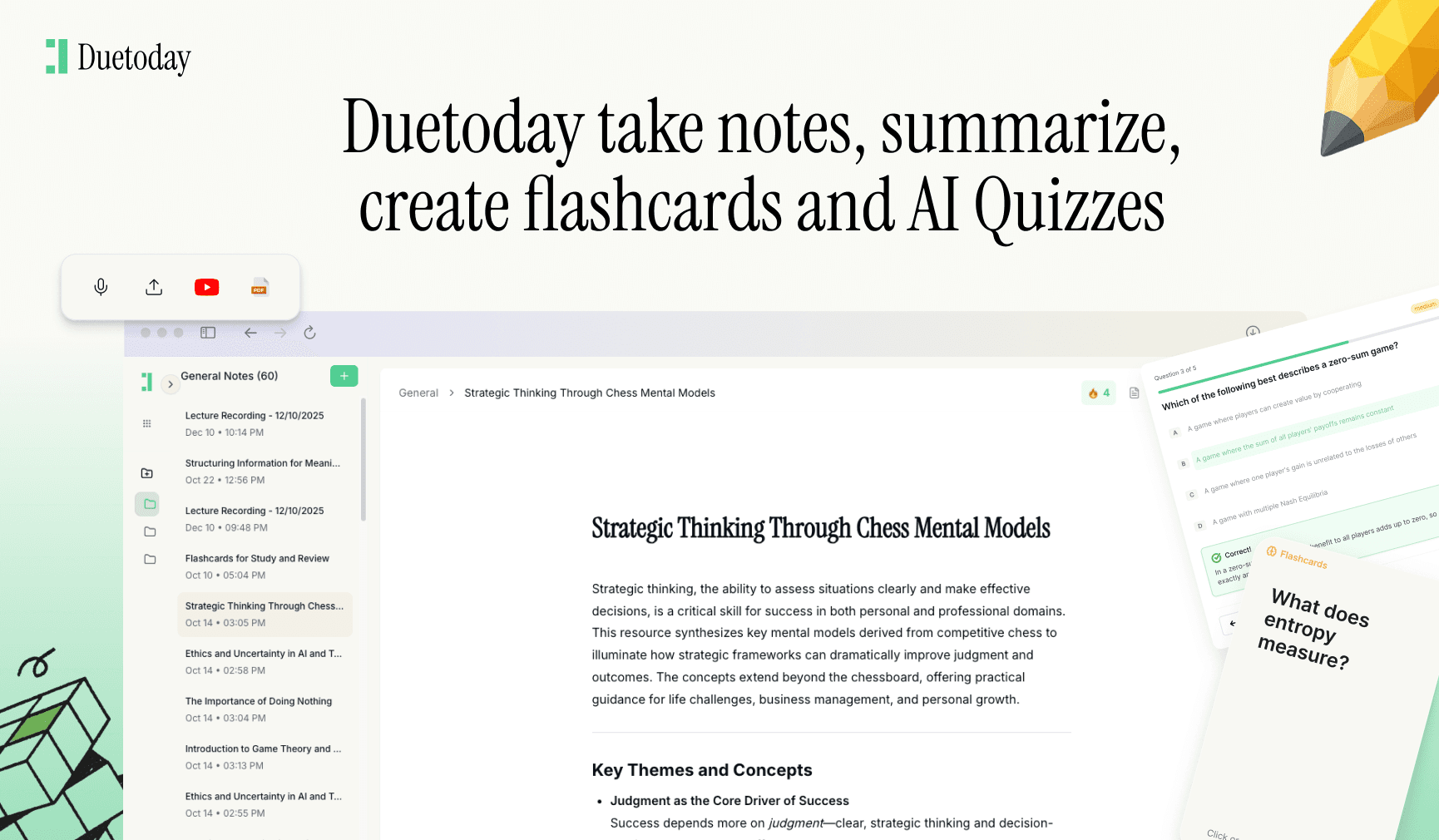
Organising notes manually can take up a lot of time that you should be spending on actual studying. This is where Duetoday AI becomes an essential part of your workflow. Duetoday is an AI-powered learning platform that turns your lecture recordings, messy PDFs, and rough notes into clean summaries, flashcards, and structured study tools automatically. Instead of spending hours reformatting your digital folders, you can feed your materials into Duetoday and let it act as your personalized AI tutor. It helps you stay organised by extracting the most important points and creating quizzes to test your retention, ensuring that your digital notes are actually helping you learn rather than just sitting on a hard drive.
Consistent Naming Conventions are Critical
If you want to find anything quickly, you must be disciplined with your file names. A file named 'Notes 1' is useless in three months. A consistent naming convention like 'YYYY-MM-DD-CourseCode-Topic' ensures that even if your files get moved, you can find them using a simple search bar. For example, '2023-10-12-ECON101-SupplyAndDemand' tells you exactly what is inside the file and when it was created without you even having to open it.
Apply this same logic to your tags. Tags are the secret weapon of digital organisation because they allow files to exist in two places at once. You might have a note in your 'Biology' folder, but if you tag it with 'ExamPrep' or 'Urgent', you can view all your exam-related notes across every subject just by clicking that tag. This horizontal way of looking at your data saves you from the limitations of traditional folders.
Weekly Digital Maintenance
Digital organisation isn't a one-time event; it is a habit. Set aside fifteen minutes every Sunday to look through your 'Downloads' folder and move any stray PDFs into their correct course folders. Delete the screenshots you no longer need and rename any files you saved in a hurry during the week. This small maintenance task prevents the 'digital junk drawer' effect that happens to almost every student by the middle of the semester.
During this weekly review, you should also update your master syllabus or 'to-do' list. Check which notes are missing or which topics you didn't quite understand. By staying on top of the small things, you avoid the overwhelming stress of a disorganised desktop when finals season begins. Digital notes are only as good as your ability to use them, and a clean workspace leads to a clear mind.
Final Thoughts on Digital Systems
Ultimately, the best system is the one you actually use. Don't get caught up in 'productivity porn' by trying to make your notes look aesthetically perfect with complex templates. Focus on functionality. Does your system allow you to find a specific fact in less than ten seconds? Does it help you understand the material better? If the answer is yes, then you have succeeded. Use the tools available to you, stay consistent with your naming, and regularly audit your files to ensure your digital environment remains a place of focus and clarity.

Which app is best for digital notes?
There is no single best app, but Notion, Obsidian, and OneNote are top choices for university students due to their folder structures and search capabilities.
How do I organise notes for different subjects?
Use a hierarchical folder system: Year > Semester > Course Code > Lectures/Assignments. This keeps everything separated and easy to find.
What are naming conventions?
Naming conventions are a standard way of labeling files, such as using dates and specific keywords, so you can find them instantly through search.
How often should I clean my digital files?
A weekly review is ideal. Use fifteen minutes at the end of each week to move files from your downloads folder to the correct subject folders.