What is the best AI tool for studying? [Full Guide]
Finding the best AI tool for studying has become one of the biggest questions for university students. Every semester, new tools appear promising faster notes, instant summaries, and effortless learning. On paper, it sounds like a dream. In reality, most students still forget what they studied two weeks ago, panic before exams, and feel overwhelmed by the sheer amount of material they need to keep up with.
The real issue isn’t intelligence or effort. It’s how studying is structured. Most AI tools today focus on generating more content, not on helping students remember what actually matters. This guide takes a different angle. Instead of listing every AI app under the sun, we’ll focus on Duetoday as the core study system, then introduce other popular AI tools only where Duetoday isn’t designed to replace them. The goal is simple: help students learn better, not just consume more information.
Why the best AI study tool should focus on memory, not content
University study has fundamentally changed. Lectures are recorded, slides are shared, textbooks are digital, and information is everywhere. The bottleneck is no longer access. It’s retention.
Most students fall into what educators call the study trap. They reread notes, highlight slides, and skim summaries generated by AI. It feels productive, but it’s passive. Without active recall and repetition, the brain simply doesn’t store information long term.
That’s why the best AI tool for studying shouldn’t aim to generate endless summaries. It should help students turn raw material into something they can actively interact with, test themselves on, and revisit over time. This philosophy is exactly where Duetoday is positioned.
Duetoday as a complete AI study system
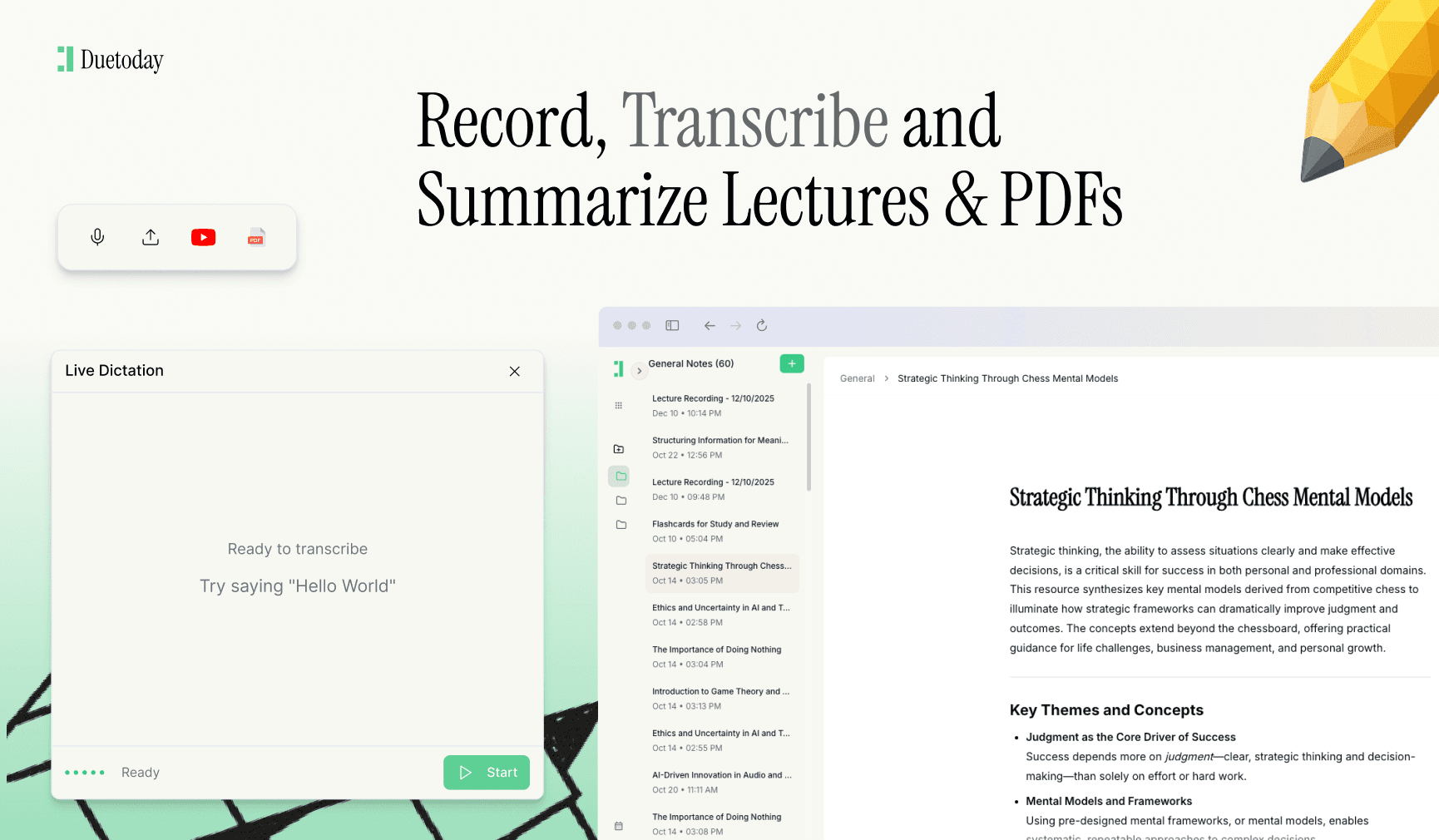
Duetoday is built specifically for students, not for generic productivity or business use. It starts with the basics students actually need: recording lectures, transcribing audio, and organizing study materials. But unlike traditional note-taking apps, Duetoday doesn’t stop at transcription.
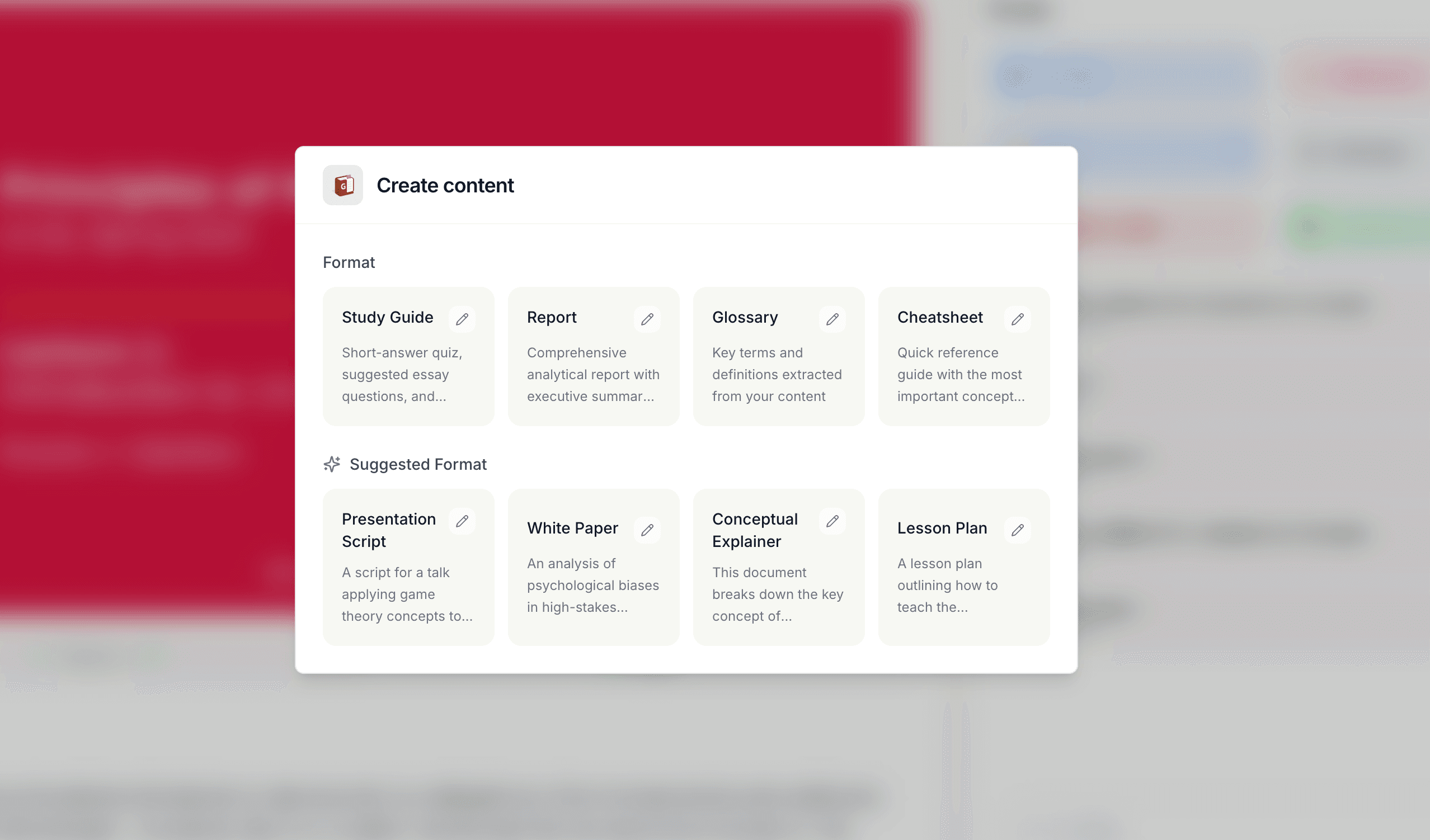
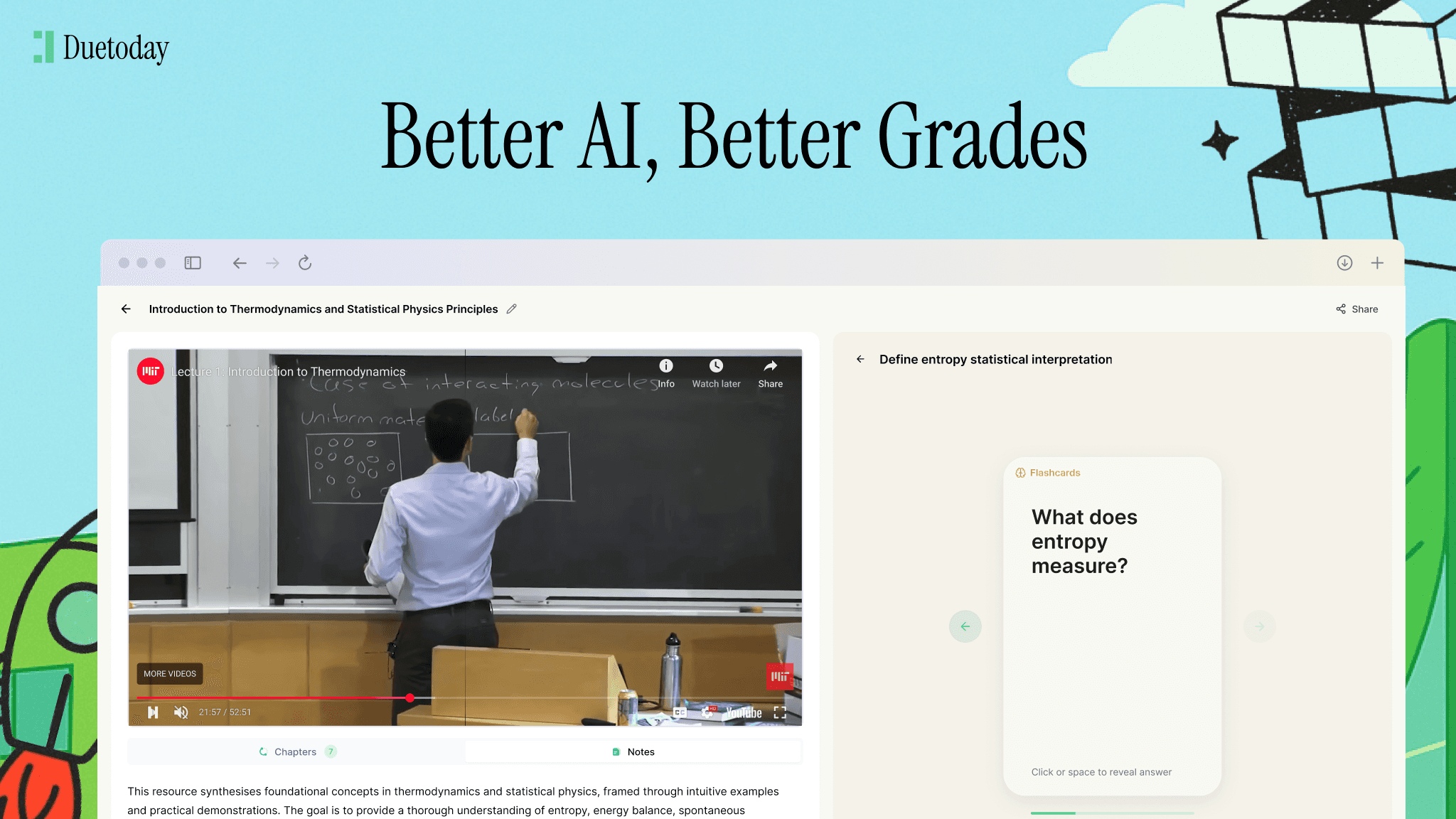
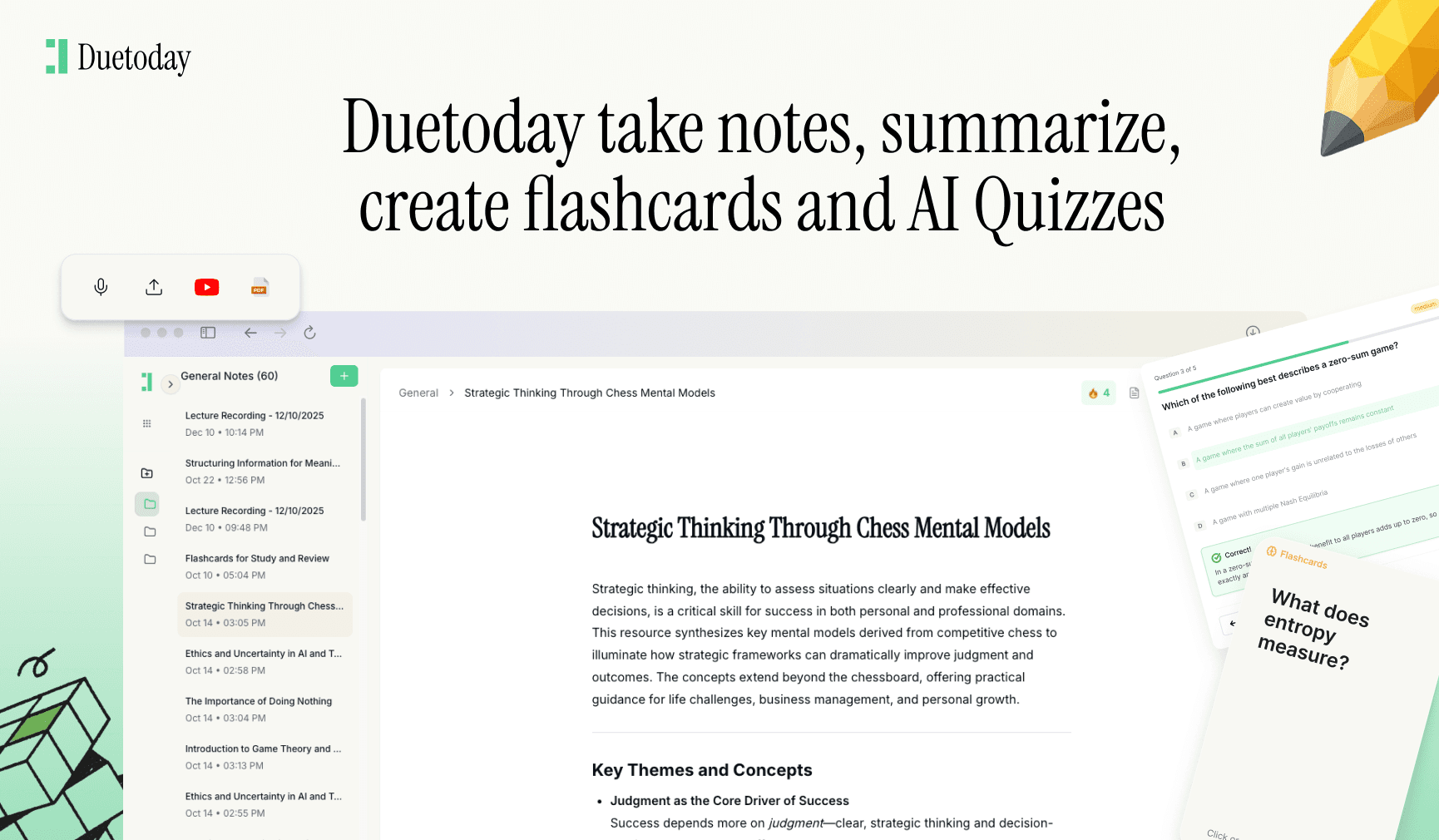
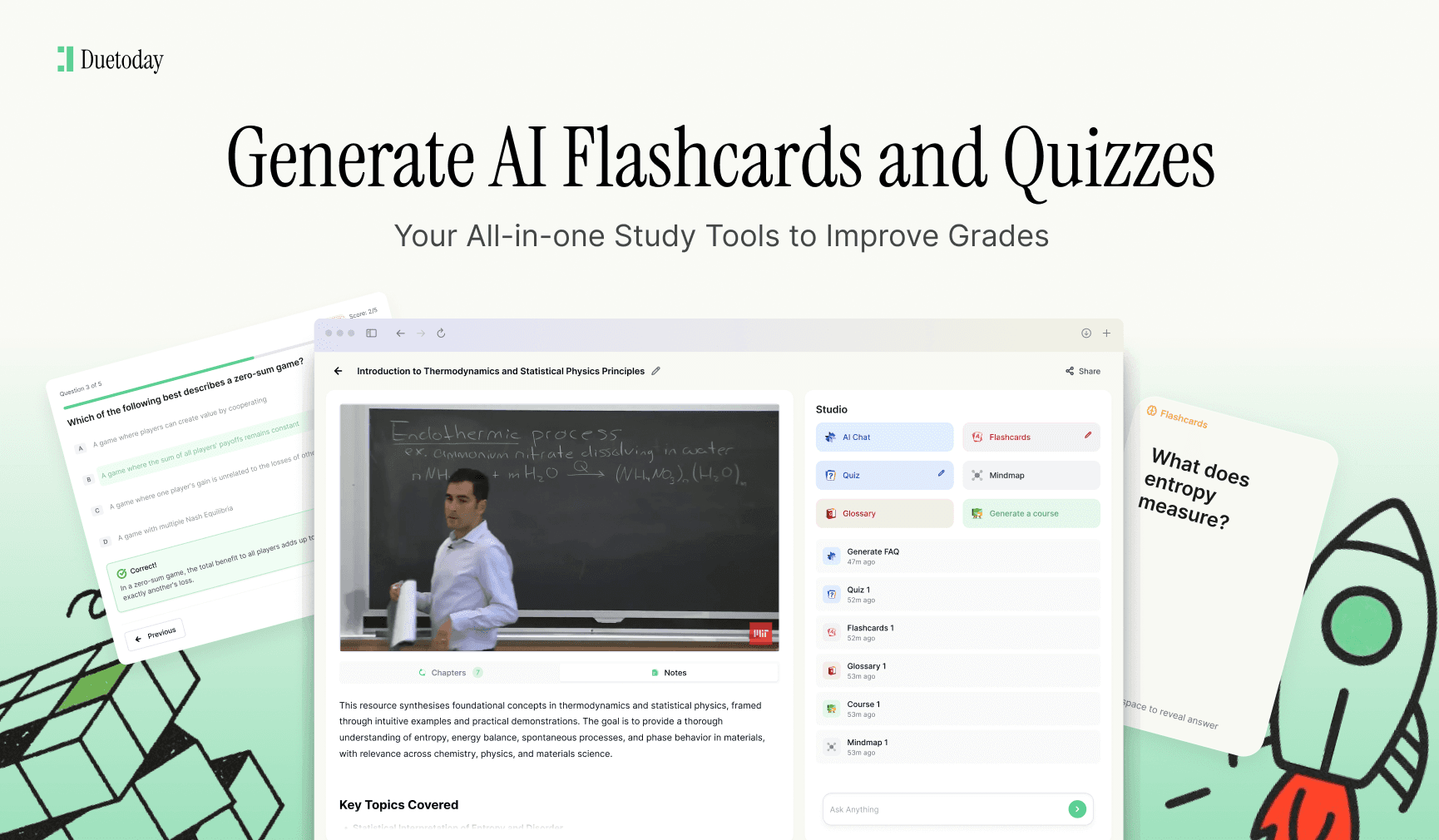
Students can upload lecture recordings, PDFs, slides, or YouTube videos, and Duetoday turns them into structured notes that are easy to understand. From there, the platform focuses on memory retention. Notes can be converted into flashcards, quizzes, and study guides that promote active recall instead of passive reading.
One of Duetoday’s most powerful features is its AI Brain. Students can dump everything into one place, all lectures, readings, notes, and then chat with their own materials. Instead of asking generic questions to an AI trained on the internet, they ask questions grounded in what they actually learned in class. This dramatically improves relevance and understanding.
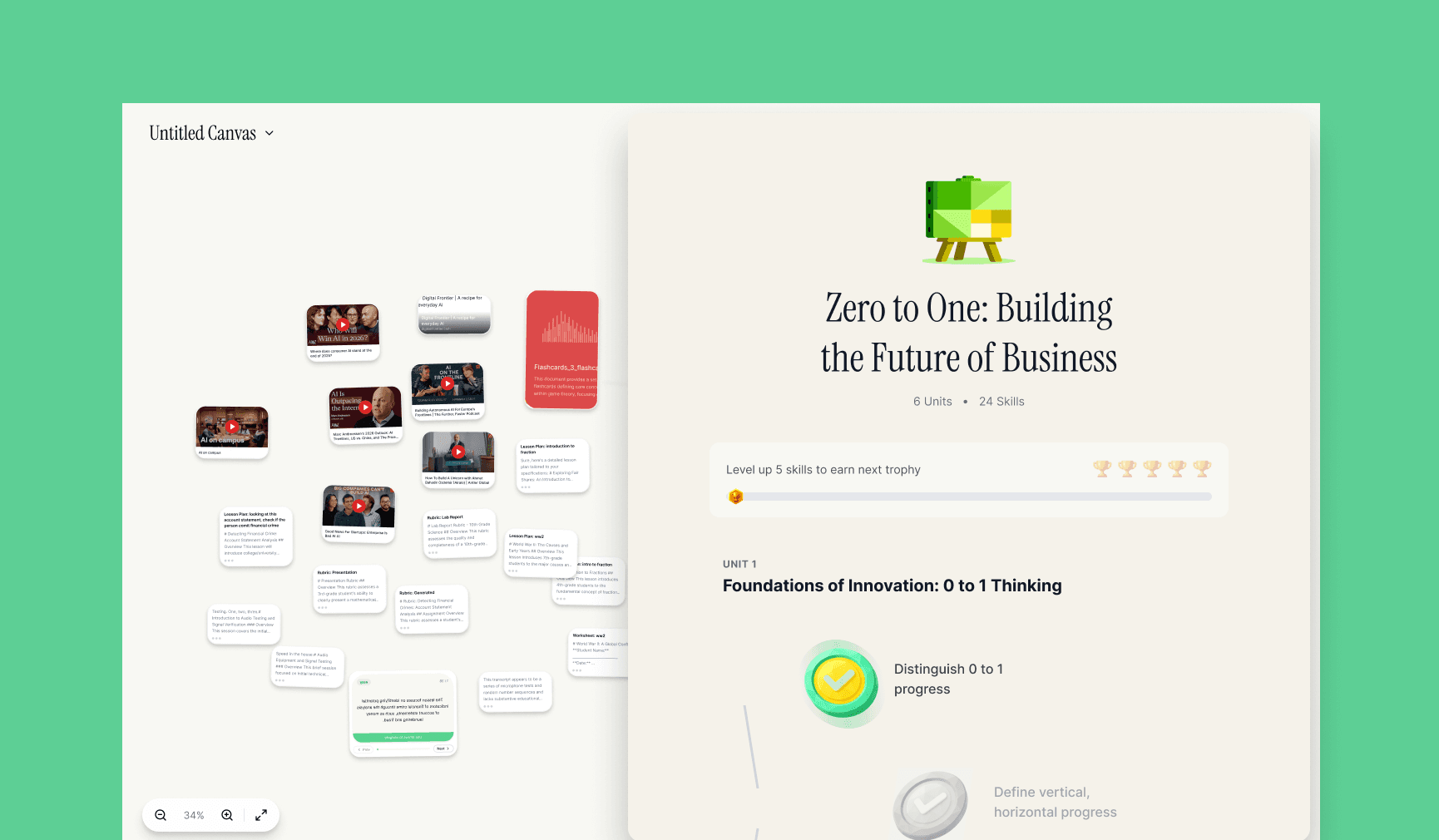
Duetoday also allows students to create courses from their materials. These courses work like Duolingo-style lessons, breaking complex topics into short, repeatable sessions. This is especially useful for exam revision, where studying in small, consistent blocks leads to better retention than cramming.
There is also Duetoday AI Notepad, which can record live lectures, transcribe them, and automatically turn them into notes, study guides, flashcards, quizzes, and even AI-generated PowerPoint slides. Students can then chat with their lectures using built-in ChatGPT to clarify concepts or test understanding. This creates a full loop from lecture to revision, all inside one platform. Duetoday offers a free trial, making it easy for students to try this workflow without pressure.
Why Duetoday avoids content overload
Many AI tools encourage students to generate more and more text. Longer summaries, rewritten explanations, alternative versions of the same notes. Duetoday intentionally avoids this trap. The platform is designed to extract key ideas and reinforce them through repetition, testing, and interaction.
This approach aligns with how memory works. Students remember what they actively recall, not what they read once. By focusing on quizzes, flashcards, and structured courses, Duetoday prioritizes long-term understanding over short-term convenience.
For students managing multiple subjects at once, this difference is huge. Instead of juggling five different apps for notes, flashcards, quizzes, and explanations, everything lives in one system designed around learning outcomes.
Other AI tools students commonly use, and where they fit
While Duetoday covers most study workflows, students still use other AI tools for specific tasks. These tools can be useful, but they work best as supplements rather than replacements for a structured study system.
ChatGPT is the most widely used AI tool among students. It’s excellent for quick explanations, brainstorming essay ideas, and simplifying complex concepts. However, it doesn’t store semester-long context, and it doesn’t guide students through active recall or spaced repetition. ChatGPT is powerful for learning moments, but not for building a memory system.
Notion AI is popular for organizing notes and managing projects. It works well as a digital workspace, especially for group assignments. However, its AI features are general-purpose and not optimized for studying. Turning notes into quizzes or memory-focused study tools requires significant manual effort.
Otter.ai is often used for lecture transcription. It does a solid job capturing spoken content, but once the transcript is generated, students are left on their own. There’s no built-in system for turning transcripts into study-ready materials like quizzes or flashcards.
Grammarly is extremely useful for polishing essays and assignments. It helps with clarity, grammar, and tone, but it doesn’t help students learn or remember course content. It’s best viewed as a writing assistant, not a study tool.
Quizlet is widely known for flashcards. It works well for memorization-heavy subjects, but it relies heavily on manual input and doesn’t deeply integrate with lectures or long-form materials. Students often end up duplicating work they’ve already done elsewhere.
Perplexity AI is useful for research and quick fact-checking. It provides sourced answers and summaries, making it helpful for assignments. However, it’s designed for information retrieval, not learning retention.
Each of these tools solves a narrow problem. Duetoday’s strength is that it connects all of these study activities into a single learning loop.
Why Duetoday works better for university students
University learning isn’t about memorizing isolated facts. It’s about understanding frameworks, relationships, and evolving ideas over time. Duetoday’s AI Brain allows students to see connections across lectures and readings instead of treating each file as a separate island.
By centralizing materials and turning them into interactive study assets, Duetoday reduces cognitive overload. Students spend less time organizing files and more time engaging with content in meaningful ways.
The platform also supports modern study habits. Short sessions, mobile-friendly access, and interactive quizzes help students stay consistent even during busy weeks. Consistency, more than intensity, is what leads to real academic improvement.
Choosing the best AI tool for studying in university
If a student only needs quick answers or polished writing, standalone AI tools may be enough. But for serious studying, exam preparation, and long-term understanding, a system matters more than individual features.
Duetoday stands out because it’s built around how students actually learn. It transforms lectures and materials into flashcards, quizzes, courses, and an AI Brain students can interact with daily. Other tools can assist in specific moments, but Duetoday supports the entire learning journey.
For students tired of forgetting what they studied and overwhelmed by disorganized notes, the best AI tool for studying isn’t the loudest or flashiest one. It’s the one that helps them remember.
FAQ
Is Duetoday better than using multiple AI tools?
Yes, because it combines transcription, notes, flashcards, quizzes, courses, and AI chat into one system designed for retention.
Can Duetoday replace traditional note-taking?
For many students, yes. Lectures and materials are turned directly into structured, study-ready content.
Does Duetoday help with exam revision?
Duetoday is especially effective for exams through active recall tools like quizzes, flashcards, and course-style revision.
Is Duetoday suitable for all subjects?
Duetoday works across science, engineering, business, humanities, and medical studies because it adapts to the content students upload.
Artificial intelligence has quietly become one of the most powerful study tools available to students. Not because it can magically make learning effortless, but because it can reshape how studying is done. When used well, AI helps students understand faster, organise better, and remember more. When used poorly, it turns into a shortcut that creates the illusion of learning without real results.
This guide is about how to use AI as a study tool properly. Not as a way to avoid studying, but as a way to study more effectively. The focus here is practical, science-backed, and realistic for university students juggling lectures, deadlines, and exams.
Why most students use AI the wrong way
The most common way students use AI today is by asking it to summarise notes or explain topics. While this feels productive, it often leads to passive learning. Reading AI-generated summaries is not the same as understanding, and it rarely leads to long-term retention.
The brain remembers information when it is forced to retrieve it, apply it, or explain it. Simply consuming AI output does not trigger these processes. This is why students who rely too heavily on summaries often forget material quickly and struggle during exams.
AI works best when it supports active learning rather than replacing it.
Step one: use AI to organise, not to replace thinking
One of the best uses of AI is organisation. University courses generate huge amounts of material: lecture recordings, slides, readings, tutorials, and assignments. AI can help clean this chaos into structured notes and clear topics.
Instead of asking AI to “teach you everything,” use it to group concepts, outline key themes, and highlight relationships between ideas. This gives you a mental map of the subject without removing the need for your own understanding.
Well-organised material makes active study possible later. Poorly organised material makes even the best AI useless.
Step two: turn AI into a question generator
Questions are the engine of learning. AI is incredibly good at generating practice questions, quiz-style prompts, and test scenarios. This is one of the most effective ways to use AI for studying.
After a lecture or reading, ask AI to create questions based on the material. Try answering them without looking at your notes. This forces active recall, which is one of the strongest predictors of memory retention.
Even getting answers wrong is valuable. The act of trying to recall strengthens learning far more than rereading content.
Step three: explain concepts in your own words with AI support
Another powerful technique is using AI as a feedback partner rather than a teacher. After studying a topic, try explaining it in your own words, either by writing or speaking it out. Then ask AI to check your explanation for gaps or inaccuracies.
This mirrors how tutors and study groups work. You are still doing the cognitive work, but AI helps correct misunderstandings early before they turn into exam mistakes.
This approach also improves confidence. Students often think they understand something until they try to explain it clearly.
Step four: break big topics into small study sessions
One reason students burn out is because topics feel overwhelming. AI can help break complex subjects into smaller, manageable pieces. Instead of studying “everything for midterms,” students can focus on one concept at a time.
Short study sessions reduce cognitive overload and make consistency easier. Ten focused sessions spread across a week are far more effective than one long cramming session.
AI is particularly useful for identifying natural breakpoints in content, such as subtopics, definitions, or applied examples.
Step five: use AI to support spaced repetition
Spaced repetition is a proven learning technique where information is reviewed multiple times over increasing intervals. AI can help by resurfacing key concepts, generating refresher questions, or creating quick review prompts days or weeks later.
Instead of starting revision from scratch, AI can remind you what matters most and where you previously struggled. This turns revision into reinforcement rather than relearning.
Students who use spaced repetition consistently tend to perform better and feel less stressed before exams.
Using AI tools intentionally, not constantly
One mistake students make is keeping AI open at all times. This can reduce deep focus and lead to dependency. AI should be used intentionally, at specific points in the study process.
Good moments to use AI include after a lecture, during revision planning, when creating practice questions, or when checking understanding. Poor moments include reading answers before thinking or relying on AI to do all reasoning.
Treat AI like a smart assistant, not a replacement brain.