Best Otter Alternatives in 2026 [For Students]
Discover why Duetoday is the best Otter alternative for students. Compare features, transcription quality, and study tools to find your perfect learning system.
Why people look for a Otter alternative
Many students initially flock to Otter because it offers one of the most reliable ways to capture spoken words in real time. For a university student sitting in a dense ninety minute biology lecture, the ability to record and see a live transcript is a relief. However, once the lecture ends, the limitations of the tool often become apparent. A transcript is essentially a long, unstructured block of text. For a student trying to prepare for an exam, a raw transcript is just another chore to manage. It requires manual filtering, highlighting, and reorganization before it actually becomes useful study material. This second step of processing is where most students lose momentum.
The search for an alternative usually starts when the user realizes that a library of transcripts does not equal a library of knowledge. While Otter excels at business meetings and interviews, it often feels disconnected from the broader academic workflow. Students find themselves jumping between the transcript in Otter, their lecture slides in a PDF viewer, and their actual revision notes in another app. They seek a tool that does not just stop at transcription but actually helps them engage with the material to improve retention and grades.
Quick verdict
Best for building a knowledge vault: Otter
Best for a real study system: Duetoday
Best if you want both: Use Otter for high-fidelity live transcription during lectures, then import that text into Duetoday for retention, practice, and exam planning.
What Otter is great at
Otter is undeniably a leader in the world of voice-to-text technology. Its primary strength lies in its accuracy and its ability to distinguish between different speakers. In a seminar or small group discussion, this feature is invaluable because it allows the student to look back and see exactly who said what. The real-time nature of the app means you can follow along with a transcript as it happens, which is a significant accessibility benefit for many. It also offers a clean, mobile-first experience that makes recording on the go as simple as a single tap.
Beyond the tech, Otter handles organization well within its own ecosystem. It allows users to search across all conversations for specific keywords, making it easy to find that one mention of a obscure term from a lecture three weeks ago. It provides a reliable repository for audio files that might otherwise clutter up a phone or laptop. For anyone whose primary goal is simply to ensure they never miss a word spoken in a room, it remains a gold-standard choice.
Where Otter breaks for students on deadlines
The main issue for students is that Otter is fundamentally a documentation tool rather than a learning tool. When a deadline is approaching, a student does not need more text to read; they need to test their understanding. Otter often leads to productive procrastination, where a student feels they are being effective because they are recording and hoarding transcripts, but they aren't actually encoding the information in their brain. The lack of built-in study outputs means the 'heavy lifting' of education—creating flashcards, summaries, and practice tests—is still left entirely to the student.
Furthermore, Otter is mostly text-centric. Academic learning is mixed-media. A student might have a lecture transcript, but that transcript needs to live alongside the professor's PDF slides, a supporting YouTube video, and a Notion page of research. Because Otter exists in a silo, the student ends up with a fragmented workflow. They spend more time managing various apps than actually studying the content. When the clock is ticking toward an exam, this fragmentation creates friction that leads to burnout and half-baked revision sessions.
What Duetoday does instead
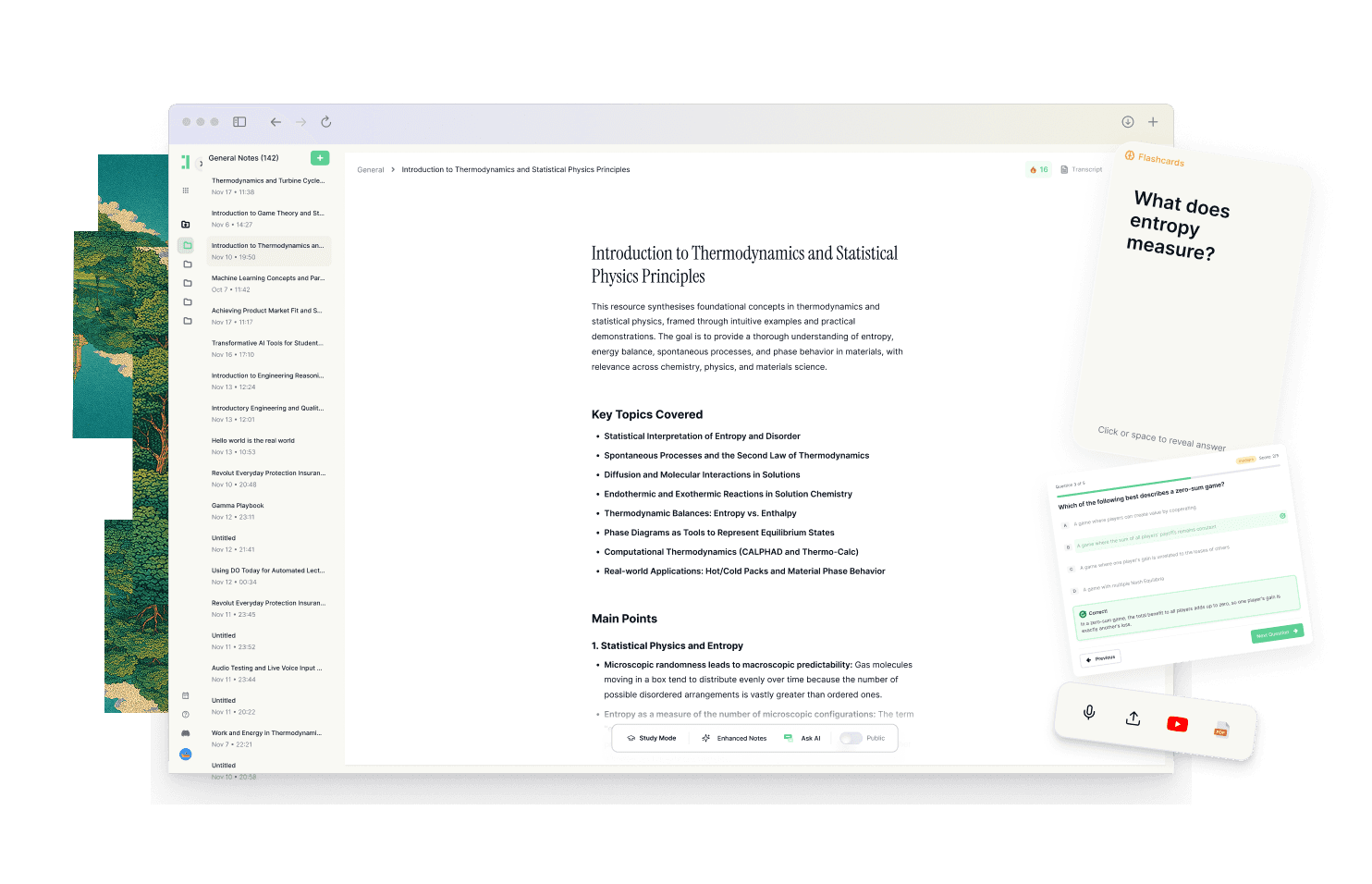
Duetoday is designed as a unified learning workspace that takes the raw input of a lecture and turns it into a retention loop. It starts with the same foundation—you can upload lecture recordings and get high-quality transcriptions—but it doesn't stop there. Once your audio, PDFs, YouTube links, and notes are in the system, Duetoday treats them as a single context. It connects the dots between what the professor said in the recording and what was written in the assigned reading, creating a cohesive brain for your specific course.
Instead of leaving you with a long transcript, Duetoday generates structured study outputs instantly. It can turn a lecture into a concise summary, a detailed cheatsheet, or a structured study guide. For active recall, the system automatically creates flashcards and quizzes based directly on your materials. You can even use an AI tutor chat to ask questions that are grounded in your specific lecture notes, ensuring the answers are relevant to your syllabus. This reduces the time spent on formatting and increases the time spent on actual learning.
The system is also built to align with your real-life schedule. By connecting with Google Calendar and Notion, Duetoday helps you plan when to tackle specific modules. It turns your study material into actionable tasks. When you log in, the next right action is obvious. You aren't just looking at a list of recordings; you are looking at a clear path toward mastering the subject. This integration of planning and learning makes it a complete execution layer for high-achieving students.
How the Duetoday workflow feels in real life
On Monday morning, a student records a complex physics lecture. Instead of just saving the audio, they upload it to Duetoday alongside the professor’s slide deck. Within minutes, the student has a clean transcript and a set of AI-generated summaries that highlight the core formulas. By Tuesday, Duetoday has generated a quiz based on the lecture’s difficult concepts, allowing the student to test their understanding during a twenty-minute gap between classes. They aren't rereading; they are practicing.
As the midterm approaches, the student enters 'exam mode.' They use the AI chat to clarify a specific point from the Monday lecture, and the tutor points them back to the exact timestamp in the transcript and the specific page in the PDF. On the weekend, the student checks their integrated Google Calendar in Duetoday and sees a block for revision. They complete their practice questions, the system marks the tasks as done, and they feel a genuine sense of progress rather than the vague anxiety of having 'too much to read.'
Duetoday vs Otter in plain English
The comparison between these two tools comes down to the difference between capturing and consuming. Otter is a capture tool. It is designed to record voice and output text with high precision. It has a steeper learning curve if you want to use its advanced collaboration features, but as a standalone recorder, it is very simple. However, it lacks any native features for active recall or exam preparation. If you use Otter, you are essentially hiring a secretary to take notes that you still have to study yourself.
Duetoday is a retention system. While it handles the capture and transcription just as effectively, its primary goal is to make the information stick. The setup is designed for students who have multiple types of files and want them all in one place. It supports mixed-media learning by allowing you to tie YouTube videos and PDFs to your transcripts, which Otter cannot do. Duetoday feels like having a study partner who has read all your materials and is now helping you quiz yourself to ensure you are ready for the test.
Who should choose Duetoday
Duetoday is the ideal choice for university students and self-learners who are overwhelmed by the volume of their study materials. If your courses involve heavy lectures, long PDFs, and supplemental videos, you need a system that can unify these sources. It is perfect for those who are deadline-driven and need to move from 'first exposure' to 'exam ready' in the shortest time possible. If you want a tool that builds your flashcards for you and manages your study tasks, this is the system for you.
Who should still choose Otter
Otter remains the better choice for professionals or researchers who purely need high-fidelity transcription for interviews or meetings. If you are a 'builder' who enjoys creating your own complex systems and wants your data stored locally or in a very specific markdown format, Otter’s simplicity as a data-capture tool might be preferable. It is for the person who wants a simple, focused vault of transcripts without any of the additional study or task management layers.
Verdict
The choice depends on whether you need a vault or a system. Otter is a fantastic vault for spoken words, ensuring every sentence is recorded and searchable. Duetoday is a learning system that turns those recorded words into summaries, quizzes, and actionable tasks. For a student, the value isn't in owning the transcript; it's in knowing the material, and that is where Duetoday provides a clear advantage by unifying the entire study workflow.
FAQ
Is Duetoday only flashcards and quizzes?
No, Duetoday is a full learning workspace that handles everything from lecture transcription and PDF organization to AI-driven summaries. While flashcards and quizzes are a core part of its retention-first approach, it also functions as a central hub for all your study materials and notes.
Does Duetoday work for lectures and YouTube?
Yes, Duetoday is built to handle mixed-media inputs seamlessly. You can upload audio or video recordings of live lectures for transcription, or simply paste a YouTube link to have the system process the video content into your study brain alongside your other notes.
Will it help reduce cramming?
By integrating with your Google Calendar and breaking down large lectures into bite-sized summaries and practice sets, Duetoday encourages consistent, spaced learning. It makes the next study task obvious, which helps you build a daily routine so you aren't stuck reading hundreds of pages the night before an exam.
Can I still use Notion or Google Calendar?
Absolutely, Duetoday is designed to work alongside your existing tools. You can sync content from Notion to act as a source for your AI brain, and the Google Calendar integration ensures your study plan is based on your actual availability and deadlines.
Who is Otter still best for?
Otter is still the gold standard for users who only need accurate, real-time transcription for business meetings, legal interviews, or long-form journalism. If you do not need study aids like quizzes or exam planning, Otter’s focused transcription service is highly effective.
Choosing the right tool is the first step toward transforming your academic experience from a chaotic sprawl of files into a streamlined path to success.
Read More Alternative To Comparison
Turn lectures, PDFs, and notes into AI-Powered summaries, bite-sized
courses, flashcards, quizzes, and study plans.