Best Otter Alternatives in 2026 [For AI Notetaking + Studying]
Discover why Duetoday is the best Otter alternative for students. Compare transcription features, study tools, and AI retention workflows to choose your system.
University students and self-learners often start their search for an Otter alternative when they realize that recording a lecture is only the first step of learning. While having a transcript is helpful, a library of text files doesn't automatically lead to understanding or exam readiness. Many students find themselves with hundreds of hours of recorded audio that they never actually revisit because the process of turning that raw data into structured knowledge is too manual and time-consuming.
Why people look for a Otter alternative
Otter was originally designed as a business transcription tool for meetings and interviews. While its ability to capture voices in real-time is impressive, students often find it lacking in the academic context. The primary frustration is that Otter provides the data but not the synthesis. After a long lecture, a student is left with a massive wall of text that requires hours of re-reading and manual note-taking to make it useful. There is a missing bridge between the spoken word and the mental retention required for high-stakes exams.
Furthermore, Otter operates in a vacuum. It captures audio well, but it doesn't easily talk to your PDFs, your YouTube research, or your course syllabus. For a student, learning is a multi-media experience. When your lecture transcript lives in one app, your reading notes in another, and your flashcards in a third, the fragmentation creates a cognitive load that makes studying feel like a chore. People look for alternatives because they want a system that treats transcription as a starting point, not the final destination.
Quick verdict
Best for building a knowledge vault: Otter
Best for a real study system: Duetoday
Best if you want both: Use Otter for live environment recording and Duetoday for retention and planning
What Otter is great at
Otter is a powerhouse when it comes to live transcription and voice recognition. It excels at identifying different speakers in a room, making it a solid choice for group projects or seminars where multiple people are talking. Its mobile app is highly responsive, allowing users to record on the go with high accuracy and real-time syncing. The ability to search through past conversations for specific keywords makes it a reliable vault for verbatim records.
The platform also offers a robust web interface where you can playback audio at different speeds while following along with the highlighted text. This is incredibly useful for journalists or researchers who need to verify quotes. Its integration with calendar tools to automatically join Zoom or Teams meetings is a significant time-saver for those who spend their lives in digital meetings. It is a tool built for documentation and administrative efficiency.
Where Otter breaks for students on deadlines
The break happens the moment a student needs to move from documentation to mastery. Otter is a passive tool; it records what was said, but it doesn’t help you learn it. Students often fall into the trap of productive procrastination where they feel they are "studying" simply because they recorded the lecture. However, when the exam is three days away and they have twenty transcripts to review, the sheer volume of text becomes overwhelming. There is no built-in mechanism to test your knowledge or condense the material into a study-ready format.
Most academic learning involves more than just audio. Students need to connect what the professor said to the diagrams in a PDF or the explanation in a YouTube video. Otter’s markdown-first or text-heavy workflow struggles to integrate these mixed-media inputs. It lacks the features required for active recall, such as automated flashcard generation or practice quizzes. Without these, the student is forced to manually copy and paste text into other apps, leading to fragmented workflows and a higher risk of missing key information during crunch time.
What Duetoday does instead
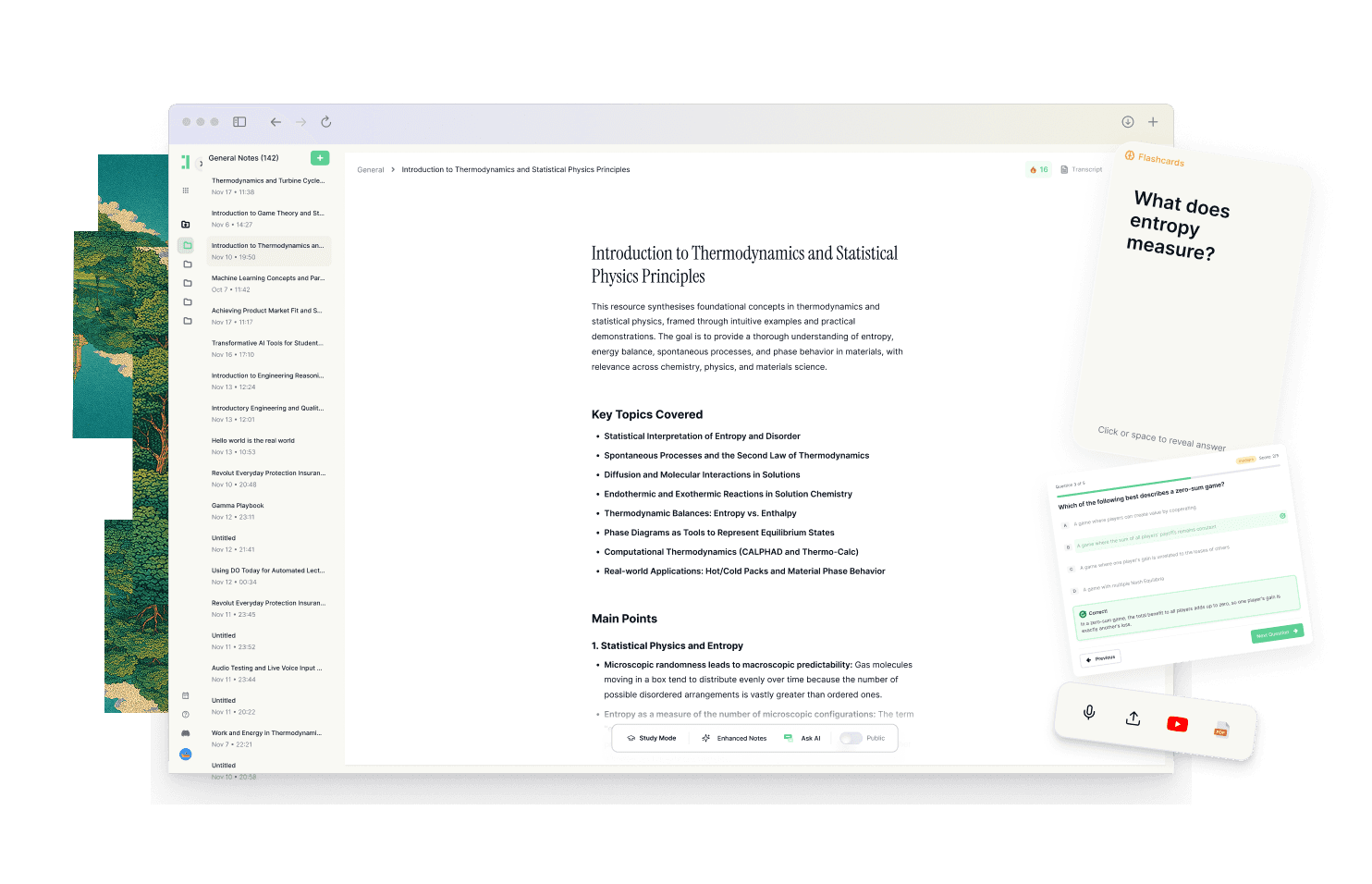
Duetoday is designed as a unified learning workspace that prioritizes retention over mere record-keeping. It is one place that holds everything you learn, including lectures, PDFs, YouTube videos, websites, and your own notes. When you upload a lecture recording, Duetoday doesn't just give you a transcript; it uses that transcript as raw material to build your personalized learning brain. It connects your materials so that your studying is never disconnected from the source, whether it's a specific timestamp in a video or a page in a textbook.
The system turns raw content into structured study outputs like summaries, cheatsheets, and comprehensive study guides automatically. Instead of just reading a transcript, you can generate active recall tools such as flashcards and quizzes directly from your materials. You can ask questions to an AI chat that is grounded explicitly in the content you’ve uploaded. This ensures the answers are accurate to your specific course curriculum rather than being generic AI responses. Duetoday also integrates with Google Calendar, aligning your study plans with your real-world deadlines to make the next right action obvious and repeatable.
How the Duetoday workflow feels in real life
Imagine it is Monday afternoon and you just finished a complex biology lecture. Instead of letting the recording sit on your phone, you upload it to Duetoday alongside the professor's PDF slides. By the time you get home, Duetoday has transcribed the audio and synthesized it with the PDF content. You spend ten minutes reviewing the AI-generated summary and the key point extraction. Before you close your laptop, you click a button to generate a set of flashcards based on the lecture’s most difficult concepts.
On Wednesday, you receive a notification for a scheduled study block on your Google Calendar. You open Duetoday, and it presents you with the practice quiz it prepared from Monday's lecture. You realize you're confused about a specific mechanism, so you ask the AI tutor to explain it simply using only your lecture notes as a reference. By Friday, you aren't staring at a mountain of transcripts; you are refining a focused study guide. The transition from hearing information to owning that information feels seamless and structured.
Duetoday vs Otter in plain English
The difference between the two tools comes down to the learning curve versus the utility for students. Otter has a very shallow learning curve for recording, but the work required after the recording is high. Duetoday requires you to bring all your materials into one place, but it pays you back by doing the heavy lifting of organization and study preparation. Otter is a recording tool that you have to manage; Duetoday is a system that manages your learning process for you.
In terms of mixed-media support, Duetoday is significantly more robust for academic needs. While Otter focuses almost entirely on the spoken word, Duetoday treats your YouTube links, Notion notes, and research PDFs as equal parts of your knowledge base. If you are preparing for an exam, Duetoday’s ability to generate active recall outputs gives you a clear path to readiness that a simple transcript provider cannot match. It’s the difference between having a library of books and having a personal tutor who has read all of them and is ready to quiz you.
Who should choose Duetoday
Duetoday is the ideal choice for lecture-heavy and deadline-driven students who are tired of managing multiple apps. If you find yourself overwhelmed by the volume of information you need to absorb and want a tool that helps you actually remember the material through active recall, this is your system. It is built for those who use a mix of PDFs, videos, and recordings and need them to exist in one single, searchable workspace.
It is perfect for the student who wants structure and clear direction. If you want to log in and immediately see what you need to study, complete with the practice tools to do it, Duetoday provides that execution layer. It turns your course materials into a repeatable routine that reduces the need for last-minute cramming.
Who should still choose Otter
Otter remains the better choice for users who prioritize live, real-time transcription above all else, especially in professional or journalistic settings. If you are a "builder" who enjoys creating your own complex systems and prefers a local-first or privacy-focused vault for long-term research, Otter’s simplicity in capturing audio might be preferable. It is the tool for those who want a verbatim record of every conversation without the need for integrated study tools or AI-driven retention workflows.
Verdict
The choice is between a transcription vault and a unified study system. Otter is excellent at capturing what was said, but Duetoday is built to help you understand and recall it. For students facing tight deadlines and complex subjects, the move from information storage to information synthesis is essential. Duetoday solves the fragmentation of modern learning by bringing your transcripts, notes, and schedules into one cohesive, retention-first workspace.
FAQ
Is Duetoday only flashcards and quizzes?
No, Duetoday is a full learning workspace that handles everything from transcription and summaries to structured study guides. While it excels at generating active recall tools, it also serves as a centralized hub for all your lectures, PDFs, and notes.
Does Duetoday work for lectures and YouTube?
Yes, Duetoday supports a wide range of inputs including direct lecture recording uploads, YouTube links, and even website articles. It processes these different media types into a single, connected environment for your studying.
Will it help reduce cramming?
By integrating with your Google Calendar and generating bite-sized study tasks, Duetoday helps you distribute your learning over time. The active recall tools make your study sessions more efficient, so you retain more information without needing an all-nighter before the exam.
Can I still use Notion or Google Calendar?
Absolutely, Duetoday is designed to work alongside your existing tools. You can import notes from Notion and sync with Google Calendar so that your study blocks and deadlines are always visible within your learning workflow.
Who is Otter still best for?
Otter is still the top choice for professionals who need high-quality live transcription for meetings or journalists who need accurate speaker identification. It is a great tool for those who only need a transcript and do not require integrated study features.
Choosing the right tool depends on whether you need a record of the past or a system for your future success.
Read More Alternative To Comparison
Turn lectures, PDFs, and notes into AI-Powered summaries, bite-sized
courses, flashcards, quizzes, and study plans.