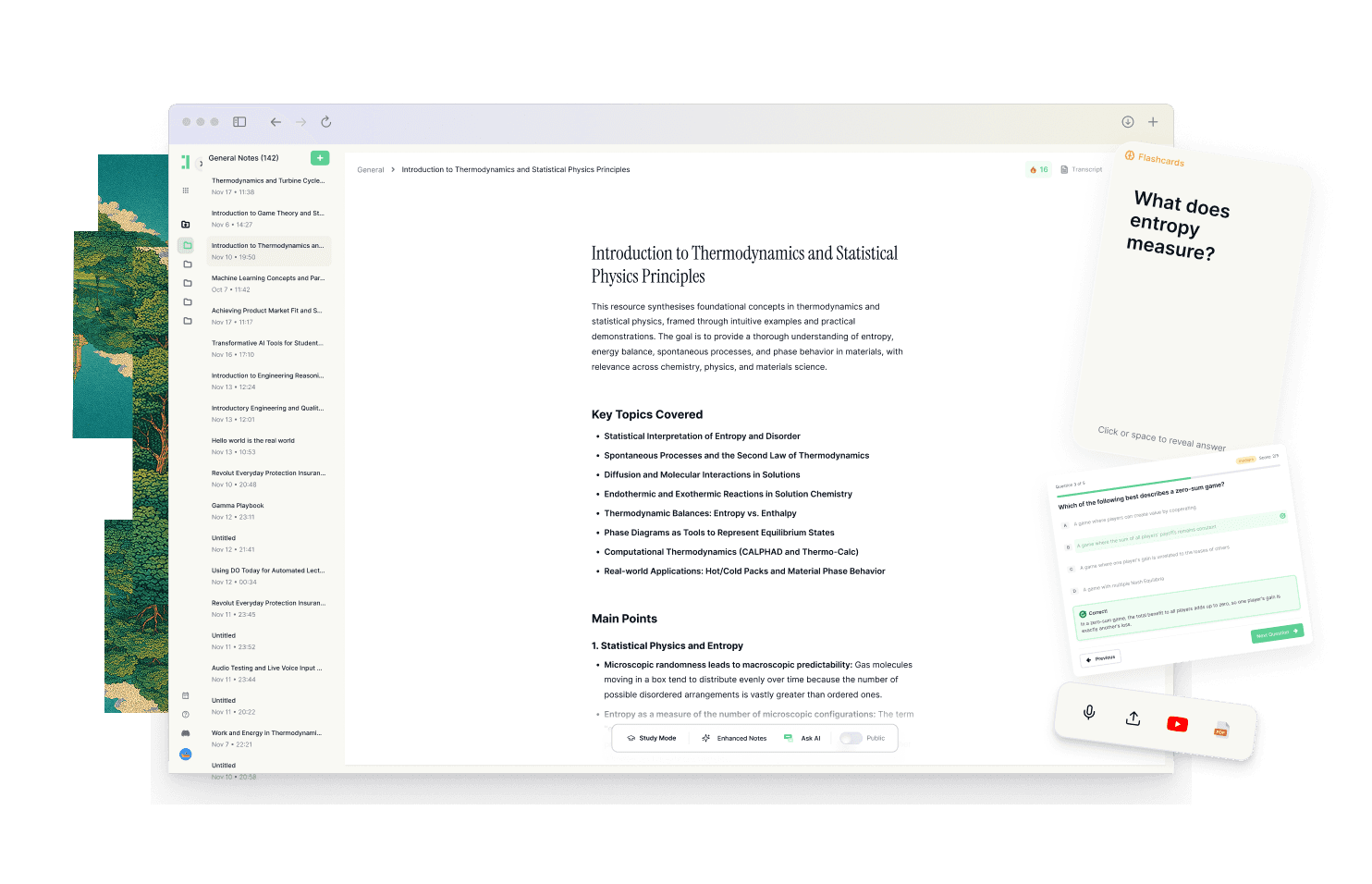
Best OneNote Alternatives in 2026 [For Studying]
Discover why Duetoday is the top OneNote alternative for students. Compare features, workflows, and retention tools to see which study system fits your academic needs.
Why people look for a OneNote alternative
OneNote has long been a staple in the academic world because it mimics the traditional binder system. However, many students find that as their semester progresses, the very flexibility that made OneNote attractive becomes its greatest weakness. The infinite canvas and unregulated structure often lead to a digital mess where information goes to hide rather than to be learned. Students frequently feel that while they are great at capturing information in OneNote, they are struggling to actually move that information from the screen into their long-term memory.
As the volume of lecture slides, PDFs, and YouTube tutorials increases, the manual labor required to organize OneNote becomes a second job. Users often find themselves spending more time formatting pages and nesting sections than actually engaging with the material. This friction leads many to search for a more integrated system that doesn't just store notes but actively assists in the synthesis and recall of information. They need a tool that bridges the gap between collecting resources and passing exams.
Quick verdict
Best for building a knowledge vault: OneNote
Best for a real study system: Duetoday
Best if you want both: Use OneNote for free-form handwriting or sketching, and use Duetoday for retention, AI-powered summaries, and exam preparation.
What OneNote is great at
OneNote is a powerhouse for free-form thinking and unstructured data collection. Its greatest strength lies in its flexibility; you can click anywhere on the page and start typing, or use a stylus to sketch diagrams and solve equations by hand. This makes it an excellent choice for STEM students or anyone who prefers a tactile, visual approach to note-taking. Because it is part of the Microsoft ecosystem, it handles deep integration with Word and Excel seamlessly, providing a familiar environment for those already comfortable with standard office productivity tools.
The organizational hierarchy of notebooks, sections, and pages is intuitive for anyone who grew up using physical dividers. It is a reliable place for long-term storage, acting as a digital filing cabinet that is accessible across multiple devices. For students who need a canvas to brainstorm or a place to manually curate large amounts of external clippings and images, OneNote remains one of the most robust and stable options available today.
Where OneNote breaks for students on deadlines
The primary issue with OneNote for a modern student is the problem of productive procrastination. It is very easy to spend hours color-coding sections and adjusting the layout of a notebook while making zero progress on understanding the actual content. When a deadline is approaching, the infinite canvas represents a lack of focus. Searching through months of handwritten notes and pasted screenshots to find a specific concept can be frustrating and slow, especially when the material is fragmented across different sections.
Furthermore, OneNote lacks a built-in feedback loop for learning. It is a passive storage medium. It does not help you test your knowledge, it does not summarize your long transcripts, and it doesn't turn your lecture recordings into practice questions. For a student on a deadline, having a vault of beautiful notes is useless if they haven't yet mastered the material. OneNote keeps your learning inputs and your study outputs completely disconnected, forcing you to use third-party tools to create flashcards or quizzes, which adds another layer of friction to an already stressful exam season.
What Duetoday does instead
Duetoday is designed as a unified learning workspace that prioritizes retention over mere storage. Instead of just being a place to park text, it acts as a central hub for everything you learn, including lectures, PDFs, YouTube videos, and websites. You can upload lecture recordings directly to get an accurate transcription, which is then connected to all your other study materials. This prevents the fragmentation that happens when your notes live in one app and your source documents live in another. Duetoday brings all these inputs into one workflow, ensuring that your study sessions are grounded in the actual curriculum.
The core of Duetoday is its ability to turn raw content into structured study outputs. Rather than you manually typing out a summary, the AI generates summaries, cheatsheets, and study guides based on your specific uploads. It also handles the heavy lifting of active recall by generating flashcards and quizzes directly from your materials. If you have a specific question, the AI chat doesn't give you a generic internet answer; it answers based strictly on the context of your uploaded files. By integrating with Google Calendar, Duetoday aligns your study plans with your real-life schedule, making the next right action obvious so your routine becomes repeatable and effective.
How the Duetoday workflow feels in real life
Imagine it is Monday afternoon and you just finished a heavy lecture. Instead of spending an hour rewriting your messy notes into a digital notebook, you upload the audio recording and the professor's PDF slides into Duetoday. By the time you’ve finished your coffee, the system has provided a transcript and a set of structured notes. You spend ten minutes reviewing the AI-generated summary to ensure you understood the core concepts. Because the system identifies key terms, it automatically suggests a few flashcards which you add to your daily deck.
Two weeks before the exam, you don't panic or start a massive reorganization project. You open your exam-prep workspace where all your lecture summaries, YouTube links, and quizzes are already linked. You use the AI tutor to explain a complex concept that you've been struggling with, and it points directly to the timestamp in your lecture recording where it was discussed. Your study blocks are already in your Google Calendar, and as you finish each task in Duetoday, you see a satisfying strike-through and a burst of confetti. You aren't just looking at your notes; you are interacting with them, ensuring that by the time exam day arrives, the info is actually in your head.
Duetoday vs OneNote in plain English
OneNote is essentially a digital version of a physical notebook. It is great for the act of writing, but it doesn't do anything with the information once it's on the page. You have to do all the work of synthesizing, summarizing, and testing yourself. The setup time in OneNote is low, but the cognitive load of maintaining it over a semester is high. It excels in a vacuum where you have hours to organize, but it struggles to help you move quickly when you are drowning in mixed-media inputs like video and audio.
Duetoday, on the other hand, is built for the student who doesn't have time to be a full-time librarian. It automates the transition from "receiving information" to "mastering information." While OneNote is text and image-heavy, Duetoday handles mixed-media workflows natively, allowing you to treat a YouTube video or a PDF with the same ease as a text note. The learning curve is focused on the study process itself rather than the software's features. It replaces the need for a separate flashcard app, a separate transcription tool, and a separate planner.
Who should choose Duetoday
Duetoday is the ideal choice for university students and self-learners who are dealing with a high volume of information from diverse sources. If your typical week involves attending four lectures, reading three research papers, and watching several YouTube tutorials, you need a system that can consolidate these into a single brain. It is perfect for those who are deadline-driven and need a clear path toward exam readiness. If you find yourself frequently lost in your own notes or if you struggle to turn your highlights into actual knowledge, Duetoday’s retention-first approach will provide the structure you are missing.
Who should still choose OneNote
OneNote remains the better option for individuals who rely heavily on digital ink and handwriting. If you are an engineering or math student who needs to solve complex problems by hand on a tablet, OneNote’s canvas is hard to beat. It is also the right choice for users who are strictly focused on privacy and local storage, or for those who enjoy the high-level customization and plugin support that comes with the Microsoft ecosystem. If you just want a place to store information indefinitely without the need for active recall tools or AI assistance, OneNote is a reliable, free-to-use solution.
Verdict
The choice between these two tools comes down to whether you need a vault or a system. OneNote is a superior vault for storing notes and sketches, offering infinite space and manual organization. Duetoday is a superior study system that unifies your materials and automates the learning process. While OneNote leaves the retention up to you, Duetoday builds the retention loop into your daily workflow, transforming a pile of documents into a clear, actionable plan for success.
FAQ
Is Duetoday only flashcards and quizzes?
No, Duetoday is a full learning workspace that handles everything from the initial capture of lectures and PDFs to the final review. While it generates excellent flashcards and quizzes, it also provides transcription, AI-powered summaries, and a grounded AI tutor for deep conceptual understanding.
Does Duetoday work for lectures and YouTube?
Yes, Duetoday is designed for mixed-media learning. You can upload audio recordings of your lectures for instant transcription and paste YouTube links to have the content processed, summarized, and integrated into your study materials alongside your notes.
Will it help reduce cramming?
Yes, by integrating with your Google Calendar and generating active recall tools immediately after you upload content, Duetoday encourages consistent, smaller study sessions. This makes the material more familiar over time, significantly reducing the need for high-stress cramming before exams.
Can I still use Notion or Google Calendar?
Absolutely. Duetoday connects with Notion so you can pull in existing content, and it integrates with Google Calendar to align your study tasks with your real-world availability. This prevents your study plan from becoming a hypothetical list that ignores your actual schedule.
Who is OneNote still best for?
OneNote is still the top choice for students who need to use a stylus for handwriting, complex math equations, or artistic sketching. It is also preferred by those who want a free, stable tool deeply integrated with the Microsoft Office suite for long-term document storage.
The right study system should make your path to mastery feel intuitive and inevitable.
Read More Alternative To Comparison
Turn lectures, PDFs, and notes into AI-Powered summaries, bite-sized
courses, flashcards, quizzes, and study plans.