Best Obsidian Alternatives in 2026 [For Studying]
Discover why Duetoday is the top Obsidian alternative for students. Compare features, study workflows, and how to turn notes into exam readiness naturally.
Why people look for a Obsidian alternative
Obsidian has gained a massive following because of its flexibility and local-first philosophy. It allows users to create a complex web of interconnected notes using Markdown, which is perfect for researchers and long-term knowledge management. However, for university students facing immediate deadlines and a constant influx of varied media, Obsidian can feel like a part-time job. Many students find themselves spending more time managing plugins, adjusting CSS themes, and organizing folders than actually learning the material. The friction of setting up a functional system often leads to a search for a more integrated solution.
Another reason for seeking an alternative is the fragmentation of modern learning. A typical student might have a lecture recording, a set of slides in PDF format, a relevant YouTube tutorial, and a handful of website bookmarks. In Obsidian, bringing these different formats together and making them interactive is a technical challenge. Students often feel that their knowledge is trapped in a beautiful vault, but it remains static. When the goal is not just to store information but to pass an exam or master a concept, the manual overhead of a local-first text editor can become a significant bottleneck.
Quick verdict
Best for building a knowledge vault: Obsidian
Best for a real study system: Duetoday
Best if you want both: Use Obsidian for long-term personal archives and Duetoday for active course retention and exam planning.
What Obsidian is great at
Obsidian is an incredible tool for those who value longevity and privacy. Because it saves files as local Markdown documents, you have complete ownership over your data. If the company were to disappear tomorrow, your notes would remain perfectly readable. This makes it the gold standard for personal knowledge management (PKM) and building a 'second brain' that spans decades. The graph view is a standout feature, providing a visual representation of how ideas connect across different subjects, which can spark unique insights during the research process.
The community surrounding Obsidian is one of its greatest strengths. There are hundreds of community-developed plugins that can transform the app into almost anything, from a task manager to a tabletop RPG tracker. For the student who enjoys technical customization and wants a tool that can grow and change with their specific aesthetic preferences, Obsidian offers a level of depth that few other applications can match. It fosters a deep sense of digital craftsmanship and pride in one’s personal library of information.
Where Obsidian breaks for students on deadlines
The primary issue for students is the phenomenon of productive procrastination. It is very easy to spend three hours configuring a 'Spaced Repetition' plugin or styling a dashboard in Obsidian while the actual course content remains unstudied. When a deadline is approaching, the 'blank slate' nature of Obsidian becomes a liability. It requires the student to build the engine while they are trying to drive the car. For someone with four classes and a part-time job, the time spent on 'system maintenance' is time stolen from actual comprehension.
Furthermore, Obsidian is fundamentally a text-first tool. While it can handle images and PDF embeds, it is not designed to 'understand' them. Students today learn through mixed-media: they need to transcribe a lecture, summarize a YouTube video, and query a 50-page research paper simultaneously. Obsidian struggles to bridge the gap between these different inputs without significant manual effort. The result is a fragmented workflow where the student is constantly jumping between browser tabs, media players, and their vault, losing focus every time they switch contexts.
What Duetoday does instead
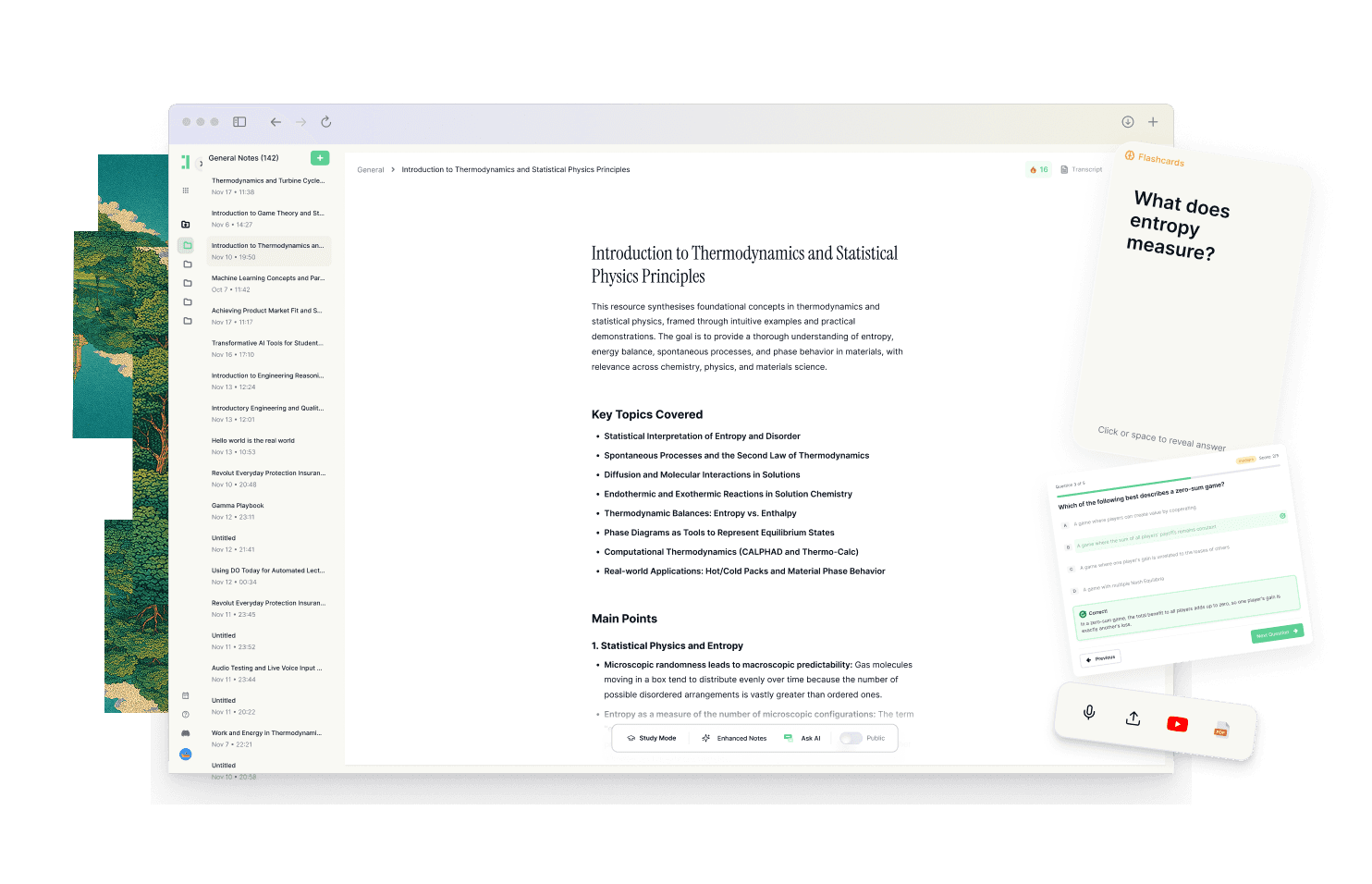
Duetoday is designed as a unified learning workspace that prioritizes retention over mere storage. Instead of a vault of static files, it acts as a dynamic loop where every input is immediately transformed into a study output. It serves as a single home for everything from lecture recordings and PDFs to YouTube links and Notion pages. By bringing these sources into one environment, Duetoday eliminates the mental tax of window-switching and ensures that your study materials are always grounded in their original context.
The platform excels at taking raw information and turning it into actionable tools. You can upload a lecture recording and receive an instant transcription, which can then be converted into structured summaries, cheatsheets, or study guides. Rather than manually writing flashcards, Duetoday uses the context of your uploaded materials to generate active recall tools like quizzes and Q&A sets. This shifts the student's role from a 'clerk' who copies and pastes information to a 'learner' who engages with generated content through an AI-powered tutor that understands their specific course materials.
Beyond content generation, Duetoday bridges the gap between learning and execution. By integrating with Google Calendar and featuring a native action-item layer, it aligns your study tasks with your actual schedule. When you see a deadline on your calendar, Duetoday helps you identify the next right action, turning overwhelming syllabi into checkable tasks. This level of workflow integration ensures that the 'learning' part of being a student is never disconnected from the 'planning' part.
How the Duetoday workflow feels in real life
Imagine it is Monday afternoon. You just finished a complex biology lecture. Instead of spending an hour manually typing out notes, you upload the audio recording directly to Duetoday. By the time you’ve grabbed a coffee, the transcript is ready. You ask the AI tutor to summarize the three most important metabolic pathways mentioned and generate ten flashcards for your review session tomorrow. Everything is linked back to the specific minute in the audio, so you can double-check the professor’s exact phrasing if you get a quiz question wrong.
As the weekend approaches, you connect your Google Calendar and see a mid-term exam scheduled for Friday. Duetoday automatically highlights the materials you’ve uploaded for that module and suggests a study guide based on your summaries. You spend your evening running through a generated practice exam rather than organizing folders. On the day of the test, you feel prepared because you spent your time practicing retrieval, not just formatting Markdown files. The system handles the organization so you can focus on the mastery.
Duetoday vs Obsidian in plain English
Comparing these two comes down to whether you want to build a tool or use a system. Obsidian is a set of high-quality building blocks. You can create a powerful environment, but you have to do the heavy lifting of architecture, organization, and finding the right plugins to facilitate study habits. The learning curve is steep, and the setup time is ongoing. It is a fantastic choice for those who want a digital home they can tinker with forever.
Duetoday, by contrast, is a ready-to-use study system. There is no setup time or hidden configurations. You upload your materials, and the workspace immediately begins assisting you with retention. While Obsidian is text-heavy and requires manual linking, Duetoday is mixed-media and uses AI to connect the dots across your lectures, websites, and papers. It is designed for the student who needs to be ready for an exam in two weeks, not the researcher looking for a solution for the next twenty years.
Who should choose Duetoday
Duetoday is the ideal choice for university students and professional learners who are dealing with a high volume of varied information. If your courses involve heavy lectures, long PDFs, and video content, you will benefit from a system that centralizes these inputs. It is for the person who wants to stop 'organizing' their notes and start 'learning' the material. If you find yourself frequently cramming because you spent too much time on aesthetics and not enough on practice, Duetoday’s automated retention tools will provide the structure you need.
Who should still choose Obsidian
Obsidian remains the superior choice for users who prioritize total data privacy and long-term research. If you are a doctoral candidate or a lifelong researcher who wants to curate a private digital library of text-based notes that will last decades, Obsidian’s local-first approach is unmatched. It is also the right fit for 'digital gardeners' who find genuine joy in the process of building and customizing their own software environment through plugins and custom code.
Verdict
The choice between Duetoday and Obsidian is a choice between a retention-oriented system and a storage-oriented vault. Obsidian is a beautiful place to keep what you know, but it requires significant effort to prepare for active testing. Duetoday is a unified workspace that automates the transition from raw information to exam readiness, reducing fragmentation and ensuring that your study time is spent on the most impactful activities.
FAQ
Is Duetoday only flashcards and quizzes?
No, Duetoday is a full learning workspace that manages your entire workflow. While it generates flashcards and quizzes for active recall, it also handles lecture transcription, PDF organization, YouTube processing, and AI-powered tutoring based on your specific materials.
Does Duetoday work for lectures and YouTube?
Yes, it is built specifically for mixed-media. You can upload audio or video recordings of lectures for transcription and import YouTube links to be processed directly alongside your text-based notes and research papers.
Will it help reduce cramming?
By integrating with your Google Calendar and generating bite-sized study tasks, Duetoday makes it easier to engage in consistent review. It identifies the next right action for you, which helps distribute the workload and avoids the need for massive, last-minute study sessions.
Can I still use Notion or Google Calendar?
Absolutely. Duetoday is designed to reduce fragmentation by pulling content from Notion and syncing with Google Calendar. This allows you to maintain your existing organizational habits while using Duetoday as the active processing and retention layer.
Who is Obsidian still best for?
Obsidian is still the best option for users who want complete control over their files via local storage. It is ideal for long-term knowledge management where the goal is archiving and connecting thoughts over a lifetime rather than preparing for specific deadlines.
Choosing the right tool depends on whether you value building a custom vault or following a proven study system.
Read More Alternative To Comparison
Turn lectures, PDFs, and notes into AI-Powered summaries, bite-sized
courses, flashcards, quizzes, and study plans.