Best Notion Alternatives in 2026 [For Studying]
Discover why Duetoday is the best Notion alternative for students. Compare asd, workflows, and retention tools to see which system helps you ace exams.
Why people look for a Notion alternative
Notion has become the default workspace for millions of students because of its aesthetic flexibility and powerful database features. However, many university students find themselves spending more time designing their workspace than actually studying. The blank-page problem often leads to productive procrastination where you build beautiful dashboards instead of engaging with your course material. When finals approach, students often realize that while their notes look great, they haven't actually moved that information into their long-term memory.
Another common frustration is the fragmentation of learning materials. Students are forced to jump between Notion for notes, YouTube for explanations, PDFs for reading, and separate apps for flashcards. This disconnected workflow makes it difficult to see the big picture. People look for a Notion alternative when they realize they need a system that doesn't just store information, but actively helps them process and retain it. They want a tool that reduces the friction between receiving information and mastering it.
Quick verdict
Best for building a knowledge vault: Notion
Best for a real study system: Duetoday
Best if you want both: Use Notion for long-term project organization and Duetoday for active learning, retention, and exam preparation.
What Notion is great at
Notion is a masterclass in flexibility. Its block-based system allows you to build almost anything, from a simple to-do list to a complex database tracking every assignment of your degree. For students who enjoy customization, Notion offers a creative outlet to build a digital home that feels personal and organized. It is excellent for collaborative projects where multiple people need to edit a shared document or track tasks in a gallery view.
The power of Notion lies in its ability to act as a permanent archive. It excels at document management and long-term storage. If you need a place to keep your internship applications, personal journals, and club meeting minutes all in one searchable location, Notion is hard to beat. Its integration with numerous other apps through its API and its robust mobile app make it a reliable companion for general productivity and life organization.
Where Notion breaks for students on deadlines
Notion often falls short when the pressure of deadlines hits because it requires too much manual labor to turn notes into study materials. Students find themselves falling into the rabbit hole of searching for the perfect template or clicking through nested pages rather than reviewing content. It is a text-first platform that often struggles with mixed-media learning. While you can embed a video or a PDF, the relationship between that media and your notes remains passive. You end up with a beautiful vault that doesn't necessarily translate to exam readiness.
The lack of a built-in retention loop means students must manually create their own active recall tools. Copying and pasting text into toggle lists for self-testing is time-consuming and inefficient when you have hundreds of lecture slides to get through. Furthermore, Notion lacks a native way to handle complex inputs like lecture recordings or long YouTube tutorials in a way that generates immediate, actionable study outputs. This gap creates a fragmented workflow where the act of 'studying' feels like a separate chore from the act of 'note-taking'.
What Duetoday does instead
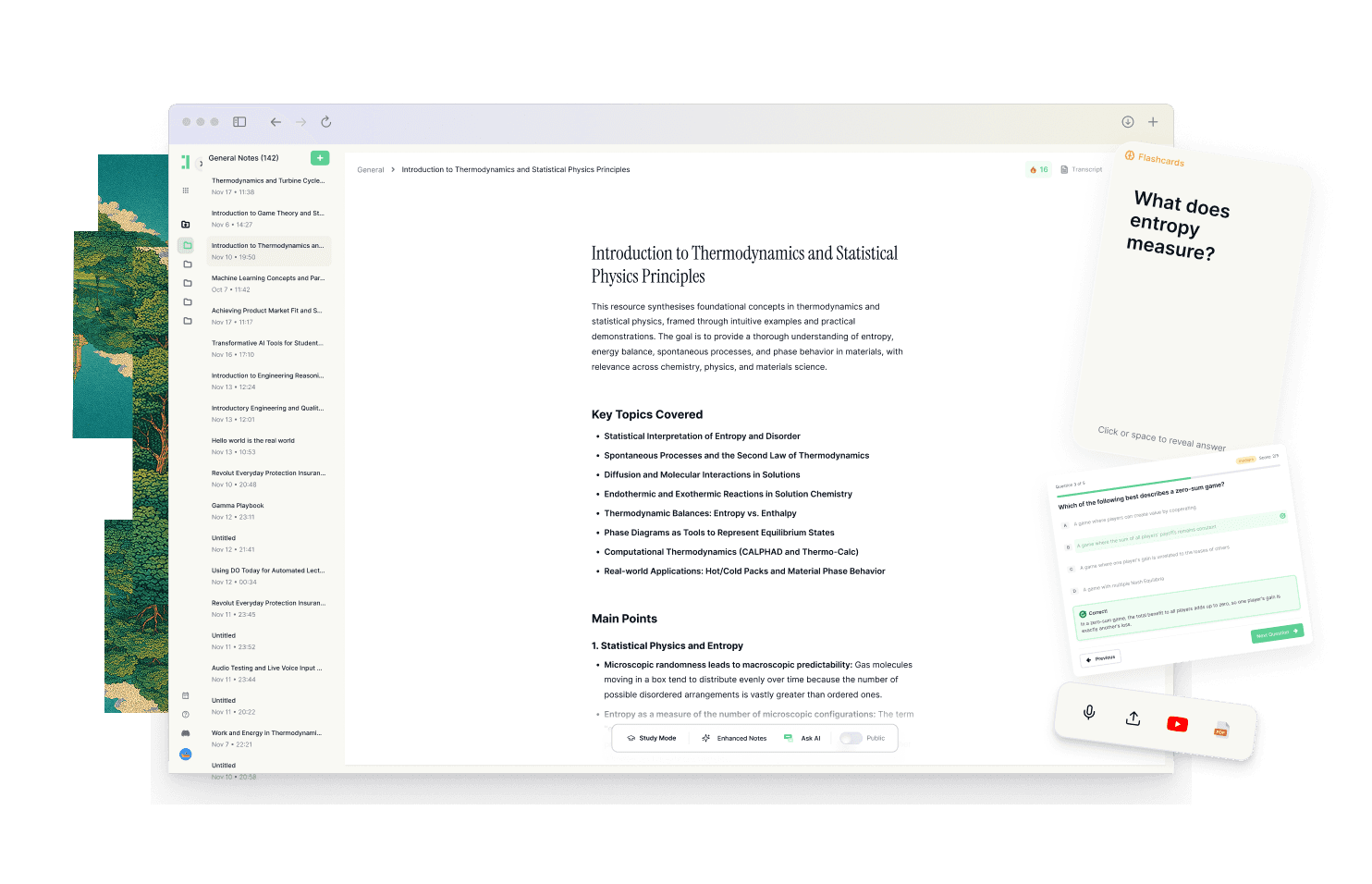
Duetoday is designed as a unified learning workspace that prioritizes retention over mere storage. Instead of a blank canvas, it provides a structured system where you can upload everything including lectures, PDFs, YouTube links, and even your existing Notion pages. It brings all these inputs into one place, ensuring your learning is never disconnected from the source material. You can upload lecture recordings and receive instant transcriptions, allowing you to focus on the professor rather than frantically typing.
The core of Duetoday is its ability to transform raw content into structured study outputs automatically. It generates summaries, cheatsheets, and study guides from your materials. More importantly, it creates active recall tools like flashcards and quizzes directly from your sources. If you are confused about a specific point, the grounded AI tutor answers questions based specifically on your uploaded materials rather than giving generic internet answers. It keeps your study materials connected to the original source, making it easy to jump back to the exact moment in a lecture or the specific page in a PDF for context.
Beyond just content, Duetoday functions as an execution layer. It connects with your Google Calendar to align your study plans with your actual schedule. It identifies the next right action for you, whether that is reviewing a summary or taking a practice quiz, making the transition from 'I need to study' to actually doing the work seamless. By bringing transcription, synthesis, and practice into one workflow, it eliminates the fragmentation that slows down most students.
How the Duetoday workflow feels in real life
On Monday morning, a student attends a lecture and records the audio directly into Duetoday while adding a few brief notes. By the time they get back to their dorm, the lecture is transcribed and summarized. They use the AI tutor to clarify a difficult concept mentioned at the twenty-minute mark. On Wednesday, they review the automatically generated flashcards during a break between classes, ensuring the information stays fresh. As the exam approaches on Friday, they use the practice quiz feature to test their knowledge, feeling confident because every question is grounded in their actual course material. The workflow feels like a continuous loop of input, understanding, and verification rather than a series of disconnected tasks.
Duetoday vs Notion in plain English
Comparing Duetoday and Notion comes down to the difference between a toolbox and a factory. Notion provides the tools for you to build your own workspace, which requires a significant setup time and a steep learning curve to master databases and relations. Duetoday, on the other hand, is a ready-to-use system designed specifically for the student workflow. You don't have to build the system; you just have to use it. This significantly reduces the cognitive load and prevents the 'productive procrastination' that often happens in Notion.
In terms of media support, Notion is excellent for text but requires manual effort to handle other formats. Duetoday handles mixed-media natively, allowing you to interact with videos and audio as easily as a text document. When it comes to exam preparation, Duetoday has a clear advantage with its automated retention features. While Notion requires you to manually create flashcard layouts, Duetoday generates them for you based on the most important concepts in your notes. The result is a more consistent daily routine where you spend your energy learning rather than organizing.
Who should choose Duetoday
Duetoday is the ideal choice for lecture-heavy and deadline-driven students who are tired of managing multiple apps. If you frequently work with mixed media like YouTube tutorials, research PDFs, and lecture recordings, you will benefit from the unified workflow. It is for the student who wants structure and wants to ensure that every hour spent studying actually contributes to long-term retention. If your primary goal is to pass exams with less stress by using a repeatable system, Duetoday is built for you.
Who should still choose Notion
Notion remains the better choice for those who need a long-term personal knowledge vault or a creative project management tool. If you are a 'builder' who enjoys the process of customizing every detail of your digital environment, or if your needs extend far beyond studying into personal finance, journaling, and habit tracking, Notion's flexibility is unmatched. It is also the right fit for students who prefer a local-first feel or who rely heavily on a wide variety of community-made plugins and templates.
Verdict
The choice between these two platforms is a choice between storage and study. Notion is a world-class vault for information storage and organization, while Duetoday is a specialized system for learning and retention. If you find yourself spending more time organizing your notes than understanding them, switching to a unified workflow like Duetoday will help you close the gap between having the information and knowing it.
FAQ
Is Duetoday only flashcards and quizzes? No, it is a complete learning workspace. While it excels at generating flashcards and quizzes for active recall, it also handles lecture transcription, document organization, AI-guided research, and automated study guide creation to support you through every stage of learning.
Does Duetoday work for lectures and YouTube? Yes, Duetoday is built for mixed-media. You can upload lecture recordings for transcription or paste YouTube links to have the AI process the video content, allowing you to search the video and generate study materials from it instantly.
Will it help reduce cramming? Yes, because it simplifies the transition to active recall. By making it easy to generate practice tools as soon as you upload your materials, Duetoday encourages consistent, bite-sized review throughout the semester rather than a desperate rush before the exam.
Can I still use Notion or Google Calendar? Absolutely. Duetoday integrates with Google Calendar to help you plan your study blocks effectively. You can also import content from Notion, allowing you to use Notion as your long-term archive while using Duetoday as your active study engine.
Who is Notion still best for? Notion is still the best tool for students who want a highly customizable, all-in-one life organizer. If you need to manage complex projects, personal databases, and long-term documentation in one place, its flexibility is superior to more specialized tools.
Choosing the right system is less about the app's features and more about which workflow helps you show up ready for your exams.
Read More Alternative To Comparison
Turn lectures, PDFs, and notes into AI-Powered summaries, bite-sized
courses, flashcards, quizzes, and study plans.