Best Google Recorder Alternatives in 2026 [For Students]
Looking for a Google Recorder alternative? Compare Duetoday vs Google Recorder to see which tool helps university students turn lectures into study materials.
Why people look for a Google Recorder alternative
Google Recorder is a powerful tool for capturing audio on Pixel devices. Its ability to provide real-time transcription and basic search functionality makes it a favorite for students sitting in long lectures. However, the limitation of the tool becomes apparent the moment the lecture ends. Many students find themselves with a massive library of transcripts that sit idle because Google Recorder is a capture tool, not a learning workspace. It records what was said, but it doesn't help you understand, retain, or apply that information for an upcoming exam.
The search for an alternative usually starts when a student realizes that having a transcript is only five percent of the study process. Managing multiple recordings across different modules becomes disorganized, and there is no native way to connect those transcripts to PDFs, YouTube videos, or textbooks. Students often feel forced to manually copy and paste text into other apps just to make sense of their notes. They want a system that doesn't just listen, but actually helps them study the content it captures.
Quick verdict
At-a-glance:
Best for building a knowledge vault: Google Recorder
Best for a real study system: Duetoday
Best if you want both: Use Google Recorder for the initial capture, then import the audio to Duetoday for retention and planning.
What Google Recorder is great at
Google Recorder sets a high bar for on-device processing. It is incredibly fast at transcribing speech to text without needing a constant internet connection. For students using compatible hardware, the convenience of tapping a single button to record a lecture and seeing words appear in real-time is unmatched. It also handles speaker labels relatively well, allowing you to distinguish between a professor's lecture and a student's question during a seminar.
Another strength of Google Recorder is its simplicity. It focuses on one job: recording audio and making it searchable. You can search for a specific keyword across all your recordings, and the app will navigate precisely to the moment that word was spoken. This makes it an excellent digital filing cabinet for raw audio data. Because it integrates deeply with the Google ecosystem, it is easy to back up recordings to Google Drive or share a transcript link with a classmate quickly.
What Google Recorder breaks for students on deadlines
The primary issue with Google Recorder is that it encourages productive procrastination. A student might record every single lecture for a semester and feel like they have been productive, only to realize a week before finals that they have sixty hours of raw transcripts and no actionable study plan. It is a fragmented experience. The transcript exists in one vacuum, while your syllabus, reading list, and practice questions live elsewhere. This fragmentation leads to a disjointed workflow where the student spends more time organizing files than actually learning the material.
Furthermore, Google Recorder is a text-heavy experience that struggles with mixed-media learning. It cannot process the diagrams shown on a projector or the PDF handouts distributed by a lecturer. If a professor refers to a specific page in a textbook or a YouTube video, Google Recorder has no way of bridging that gap. This forces students to juggle multiple apps, leading to cognitive overload and a lack of exam readiness. It records the lecture, but it doesn't prepare you for the test.
What Duetoday does instead
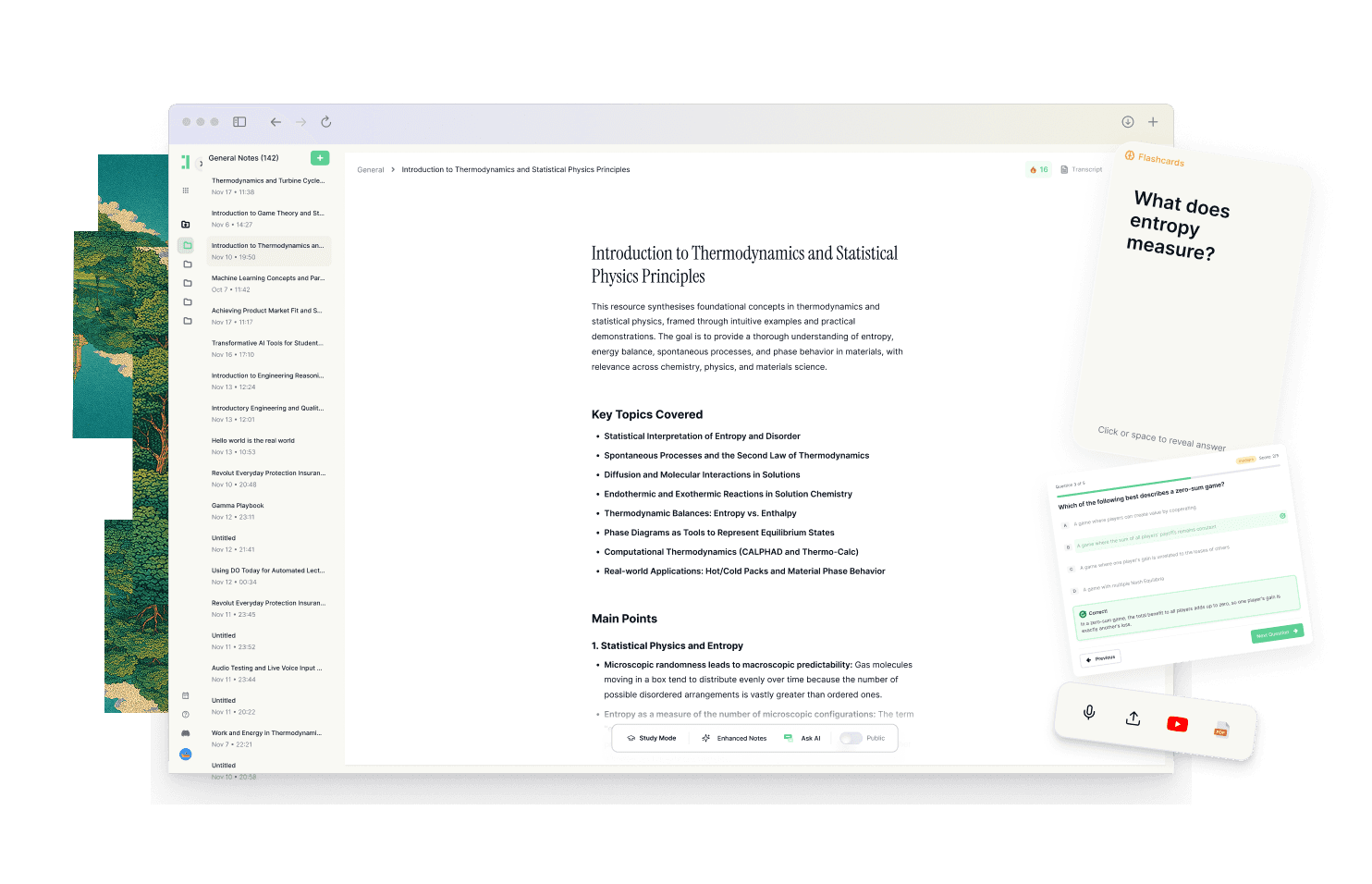
Duetoday is designed as a unified learning workspace that takes the raw input of a lecture and converts it into a retention loop. Instead of just storing audio, Duetoday acts as one place that holds everything you learn, including lectures, PDFs, YouTube videos, and personal notes. You can upload your lecture recordings and receive a high-quality transcription, but the process doesn't stop there. Duetoday allows you to turn that raw content into structured study outputs like summaries, cheatsheets, and comprehensive study guides automatically.
To ensure actual learning happens, Duetoday generates active recall tools such as flashcards and quizzes directly from your uploaded materials. You can ask questions to an AI chat that is grounded in your specific lecture notes, ensuring the answers are accurate to what your professor taught rather than generic internet facts. This keeps your materials connected to the source, so your studying never feels disconnected from the original context. It supports mixed-media learning by allowing you to integrate Notion pages and Google Calendar, making the next right action obvious. When your study plan aligns with your real-world deadlines, the path to academic success becomes repeatable and clear.
How the Duetoday workflow feels in real life
Imagine it is Monday afternoon and you have just finished a complex biology lecture. Instead of letting the recording sit in a folder, you upload it to Duetoday along with the professor’s slide deck. By the time you get back to your dorm, the system has transcribed the audio and cross-referenced it with the PDF slides to create a unified summary. On Wednesday, you open the AI chat to ask for a clarification on a specific metabolic pathway mentioned in the lecture; the AI explains it simply using the exact terminology from your class. By Friday, Duetoday has generated a set of flashcards and a practice quiz based on the week’s content. Instead of a frantic Sunday night cram session, you spend twenty minutes reviewing the active recall tasks that are already synced with your Google Calendar, making you feel prepared and calm before your midterms even begin.
Duetoday vs Google Recorder in plain English
When comparing these two, the fundamental difference lies in the goal of the software. Google Recorder is a utility for capture. It has a very low setup time and a non-existent learning curve, which is great for the moments you just need to hit record. However, its utility drops off once the recording ends. It doesn't help you recall the information, and it doesn't provide the outputs needed for deep revision. It is a tool for people who want to document their lives, not necessarily for students who need to master complex subjects under high pressure.
Duetoday, on the other hand, is built for the entire student lifecycle. It understands that a lecture is just the starting point. While it provides transcription like Google Recorder, its real power is in its ability to synthesize that information with other media. It bridges the gap between hearing something once and knowing it forever. If you need a tool that supports mixed-media and generates study guides and flashcards automatically, Duetoday is the superior choice for exam preparation. It turns your scattered digital files into a cohesive, searchable, and actionable learning brain.
Who should choose Duetoday
Duetoday is the right choice for university students and self-learners who are lecture-heavy and deadline-driven. If you find yourself overwhelmed by the volume of PDFs, YouTube tutorials, and audio recordings you need to get through, Duetoday’s ability to unify these fragments will save you hours of manual work. It is perfect for those who want a structured study system that moves beyond simple note-taking and into active retention and scheduled review.
Who should still choose Google Recorder
You should stick with Google Recorder if you strictly need a local-first voice memo app for a Pixel device and have no intention of using the transcripts for formal study. It is the better choice for users who are extreme privacy enthusiasts who want 100% on-device processing and don't mind the manual labor of moving their notes into other systems later. It is a great tool for digital journalists or casual note-takers who don't face complex academic exams.
Verdict
The choice between Duetoday and Google Recorder comes down to whether you need a storage vault or a study system. Google Recorder is excellent at capturing what was said, but Duetoday is essential for understanding what it means and ensuring you remember it. For a student, a unified workflow that connects lectures to retention tools will always beat a fragmented collection of audio transcripts.
FAQ
Is Duetoday only flashcards and quizzes?
No, Duetoday is a full AI learning workspace that handles everything from transcription and summaries to structured study guides and AI-tutor chats. It serves as a central hub for all your learning materials, not just a testing tool.
Does Duetoday work for lectures and YouTube?
Yes, you can upload lecture recordings directly for transcription and also process YouTube links to extract key insights. This allows you to combine your classroom learning with online resources in one place.
Will it help reduce cramming?
By automatically generating study materials like flashcards and syncing with your calendar, Duetoday encourages consistent review. This makes it easier to stay on top of your work and avoid the stress of last-minute cramming.
Can I still use Notion or Google Calendar?
Absolutely, Duetoday integrates with Notion to pull in your existing notes and connects to Google Calendar to align your study tasks with your real schedule. It is designed to enhance your current workflow, not replace it.
Who is Google Recorder still best for?
Google Recorder remains a top choice for Pixel users who need a simple, offline-capable way to record meetings or memos. It is best for those who only need raw transcripts and do not require integrated study features or mixed-media support.
Choosing the right tool depends on whether you want to just record your classes or actually master the material.
Read More Alternative To Comparison
Turn lectures, PDFs, and notes into AI-Powered summaries, bite-sized
courses, flashcards, quizzes, and study plans.