Best Google Doc Alternatives in 2026 [For Studying]
Discover why Duetoday is the ultimate Google Docs alternative for students needing a unified study system with AI-powered retention tools and smart workflows.
Why people look for a Google Docs alternative
Google Docs has become the default workspace for millions of students because it is free, reliable, and easy to use for collaborative writing. However, as academic workloads increase, many students find that a simple word processor is not enough to manage the complexities of modern learning. The primary reason for seeking an alternative is the lack of structure. Google Docs is designed for linear documents, but learning is rarely linear. Students often find themselves with dozens of unnamed files and fragmented folders that make it nearly impossible to connect ideas across different lectures and subjects.
Furthermore, Google Docs is a passive tool. It stores information but does nothing to help you retain it. For students dealing with high-stakes exams, merely typing out notes does not translate to mastery of the material. There is no built-in way to test your knowledge, generate practice questions, or manage a schedule within a document. This leads to a constant need for external apps to handle flashcards, task management, and file storage, creating a fragmented workflow that wastes time and increases cognitive load.
Quick verdict
At-a-glance:
Best for building a knowledge vault: Google Docs
Best for a real study system: Duetoday
Best if you want both: Use Google Docs for collaborative essay drafting, Duetoday for retention and planning
What Google Docs is great at
Google Docs remains the gold standard for collaborative writing. Its real-time editing features allow groups of students to work on the same assignment simultaneously without any version control issues. The simplicity of the interface means anyone can pick it up and start writing immediately. It is an excellent tool for drafting long-form essays, formatting research papers, and keeping a basic record of meeting minutes or lecture outlines. The integration with Google Drive also ensures that your files are accessible from any device with an internet connection.
Another significant strength is its accessibility and cost. For most students, it is entirely free and familiar. It handles basic text formatting incredibly well and provides a distraction-free writing environment if used correctly. Because it is so widely used, sharing a document with a professor or a peer is seamless. It is a reliable, stable cloud-based editor that performs its primary function—writing documents—exceptionally well.
Where Google Docs breaks for students on deadlines
The biggest issue with Google Docs is productive procrastination. Students spend hours formatting headers, choosing fonts, and organizing folders instead of actually engaging with the material. On a tight deadline, a blank Google Doc is often a source of anxiety rather than a tool for progress. Because every document is a silo, students struggle to see the big picture. When exam season hits, they have to manually scan through hundreds of pages of text to find key information, which is a massive drain on time and energy.
Google Docs also fails to accommodate mixed-media learning effectively. While you can paste images, it is not built to handle lecture recordings, YouTube videos, or complex PDFs in a way that makes them searchable and interactive. There is no automated way to turn your typed notes into active recall tools. This forces students into a manual cycle of copying and pasting information from their docs into flashcard apps or quiz makers. This fragmentation means that by the time a student has finished "organizing" their notes, they have very little time left for actual studying.
What Duetoday does instead
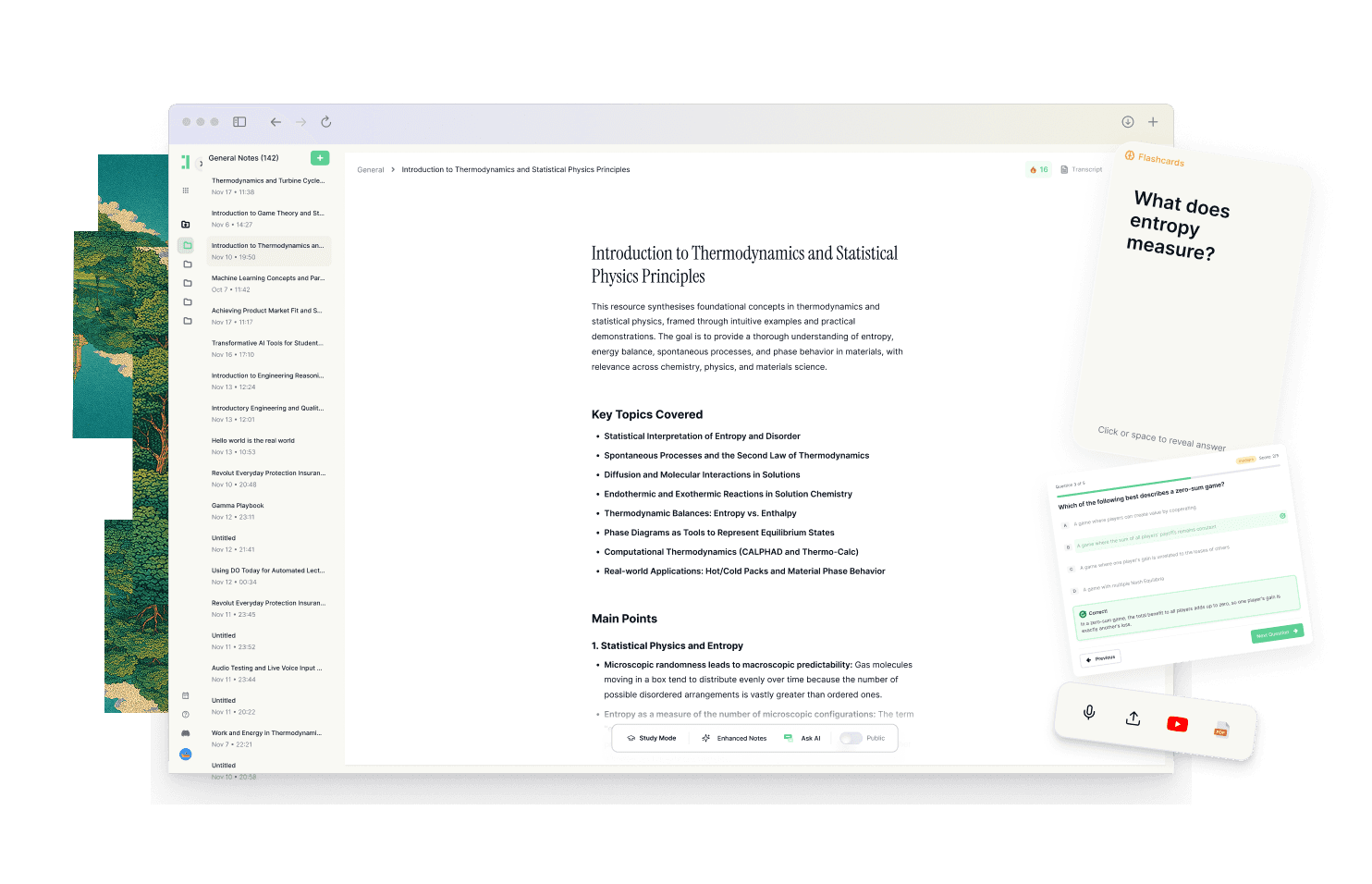
Duetoday is designed as a unified learning workspace that replaces the disconnected folders and documents of traditional systems. It serves as one place that holds everything you learn, including lectures, PDFs, YouTube videos, and websites. Instead of just storing text, Duetoday creates a retention loop. You can upload lecture recordings and receive instant transcriptions, allowing you to focus on listening rather than frantic typing. This raw content is then transformed into structured study outputs like summaries, cheatsheets, and comprehensive study guides automatically.
Beyond organization, Duetoday prioritizes active recall. It can generate flashcards and quizzes directly from your uploaded materials, ensuring that your study sessions are focused on testing your knowledge rather than just re-reading it. You can interact with your materials through an AI tutor chat that is grounded in your specific sources. This means when you ask a question, the answer comes from your lecture or reading, not a generic internet search. By keeping materials connected to the source, Duetoday ensures that your studying is never disconnected from the original context.
Duetoday also bridges the gap between learning and execution. It connects with Google Calendar to align your study plans with your real-world deadlines. If your materials suggest a list of tasks, the system generates action items with checkboxes. This helps make the next right action obvious, reducing the mental fatigue of deciding what to study next. It works alongside tools like Notion, allowing you to pull in existing content while benefiting from Duetoday’s superior retention and scheduling features.
How the Duetoday workflow feels in real life
Imagine it is Monday morning. You sit through a complex biology lecture and record it directly into Duetoday. By the time you get back to your room, the recording is transcribed and a structured summary is already waiting for you. Instead of spending two hours transcribing your handwritten notes into a Google Doc, you spend fifteen minutes reviewing the AI-generated flashcards based on that specific lecture. You see a concept you don't quite understand, so you ask the AI tutor to explain it in simpler steps based on the PDF your professor provided. It answers instantly, citing the exact page of the reading.
As the week progresses, you add a YouTube video and two research papers to the same workspace. Duetoday connects these pieces of information, allowing you to search across all of them at once. When Friday comes, you don't have to "prepare" for a review; you simply check your Google Calendar, see the study block, and open the practice quiz Duetoday has already prepared. By the time your midterms arrive, you aren't panic-searching through a Drive folder. You have a refined, tested body of knowledge and a clear history of what you have already mastered.
Duetoday vs Google Docs in plain English
The fundamental difference between Duetoday and Google Docs is the intended outcome. Google Docs is built for production; its goal is to help you create a document. Duetoday is built for retention; its goal is to help you learn and remember information. While Google Docs offers a blank page where you do all the work, Duetoday offers a dynamic environment that processes your inputs into actionable study tools. The setup time for a Google Doc is zero, but the maintenance time grows exponentially as you add more files. Duetoday requires a slight shift in how you think about your materials, but it saves hours of manual labor in the long run.
In terms of mixed-media support, Google Docs is very limited. It handles text well, but it treats a video link or a PDF as a static attachment. Duetoday treats these as active sources of data. It can link a specific flashcard back to the exact timestamp in a YouTube video or a specific paragraph in a 50-page PDF. This level of connectivity is simply not possible in a word processor. Furthermore, Google Docs lacks any built-in logic for exam preparation. It won't tell you what you're forgetting or help you practice. Duetoday builds that routine into your daily workflow by connecting your learning materials to your calendar.
Who should choose Duetoday
Duetoday is the ideal choice for university students and self-learners who are overwhelmed by the volume of information they need to process. If your learning involves a mix of lecture recordings, complex PDFs, and online videos, you need a system that can unify these formats. It is perfect for those who are deadline-driven and need to move from "having the information" to "knowing the information" as quickly as possible. If you find yourself spending more time organizing notes than actually studying them, Duetoday will provide the structure you are missing.
Who should still choose Google Docs
You should stick with Google Docs if your primary need is writing long-form, collaborative documents like group essays or research papers. It is still the best tool for simple, text-heavy tasks where no complex analysis or retention work is required. If you are a minimalist who prefers a completely blank canvas and you don't mind manually managing your study schedule and active recall tools, Google Docs offers a reliable and free environment for basic note-taking.
Verdict
Ultimately, the choice comes down to whether you need a storage vault or a study system. Google Docs is a great place to store text, but it lacks the intelligence to help you master it. Duetoday solves the problem of fragmentation by bringing your inputs, your notes, and your schedule into one unified workflow. If your goal is to reduce cramming and actually retain what you learn, Duetoday is the clear winner for modern students.
FAQ
Is Duetoday only flashcards and quizzes?
No, Duetoday is a complete learning workspace that handles everything from initial transcription and note-taking to advanced organization. While it generates flashcards and quizzes to help with retention, its core strength lies in its ability to centralize all your learning materials like PDFs and lecture recordings in one place. It acts as both a content library and an AI-powered tutor for your studies.
Does Duetoday work for lectures and YouTube?
Yes, Duetoday is specifically designed to handle mixed-media learning inputs. You can upload lecture recordings for instant transcription or import YouTube links to process video content. This allows you to treat audio and video materials with the same depth as text-based notes, making them fully searchable and interactive.
Will it help reduce cramming?
Duetoday reduces cramming by making consistent, daily study much easier to manage. By connecting to your Google Calendar and generating bite-sized study tasks, it encourages you to engage with the material throughout the semester. The built-in practice tools ensure you are testing your knowledge regularly rather than waiting until the night before an exam.
Can I still use Notion or Google Calendar?
Absolutely, Duetoday is designed to integrate into your existing ecosystem rather than forcing you to abandon it. You can sync or pull content from Notion and connect your Google Calendar to align your study sessions with your real-world availability. This prevents your study plans from becoming disconnected from your actual schedule.
Who is Google Docs still best for?
Google Docs remains the best tool for students who primarily need to collaborate on written assignments like group essays or simple reports. It is the gold standard for real-time text editing and basic document formatting. If you do not need AI-powered retention tools or a centralized system for mixed-media materials, Google Docs is a solid, free option.
Choosing a system over a storage vault is the first step toward better grades and less stress.
Read More Alternative To Comparison
Turn lectures, PDFs, and notes into AI-Powered summaries, bite-sized
courses, flashcards, quizzes, and study plans.