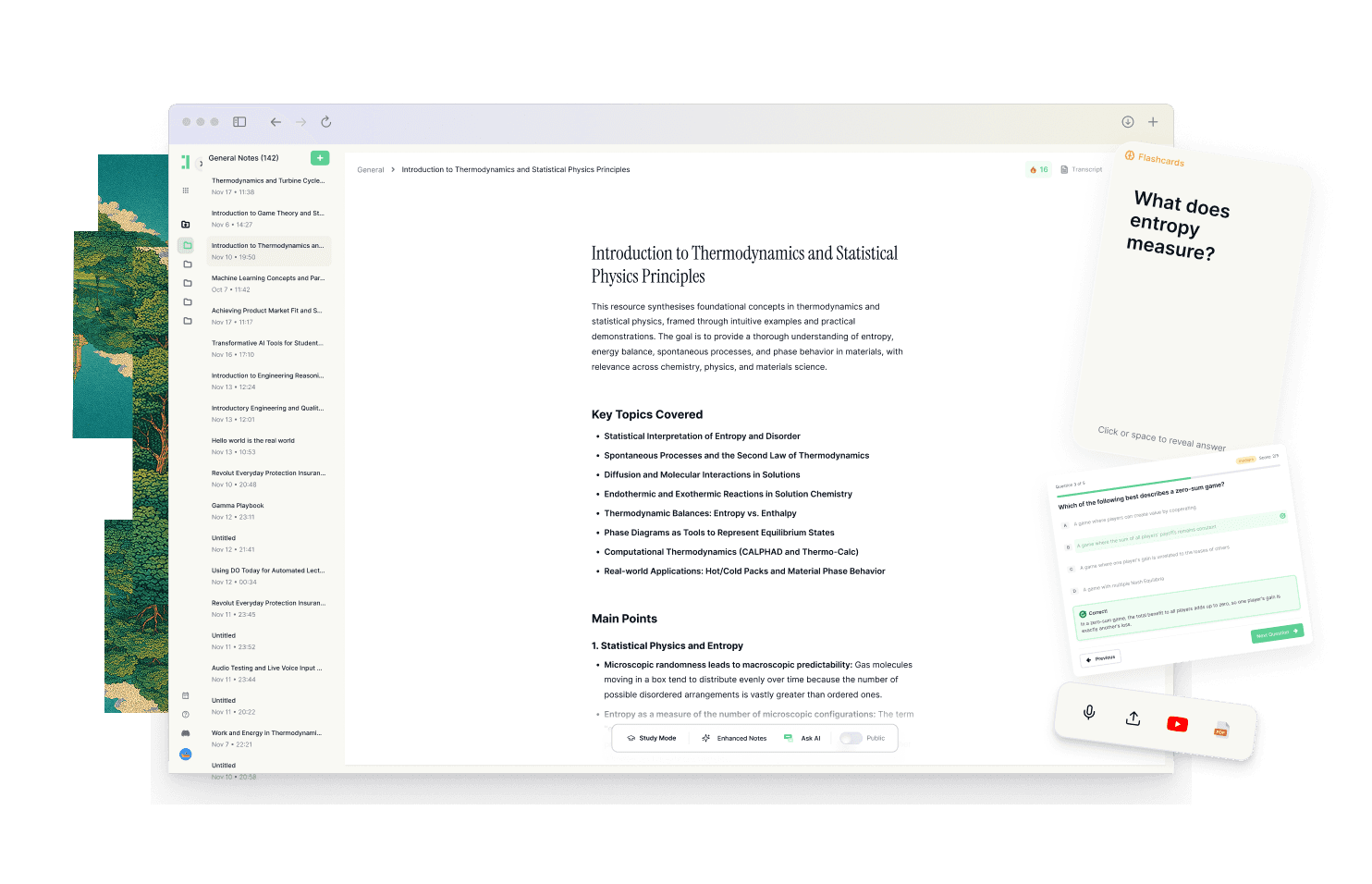
Best Evernote Alternatives in 2026 [For Studying]
Discover why Duetoday is the top Evernote alternative for students. Compare features for lecture notes, AI study tools, and retention-focused learning systems.
Why people look for a Evernote alternative
For years, many students and lifelong learners have treated Evernote as the default destination for their digital lives. It became the go-to place for clipping web articles, scanning handwritten notes, and storing PDFs. However, as the academic landscape has become more complex, the limitations of a general-purpose filing cabinet have become more apparent. Many users find themselves buried under a mountain of notes that are easy to store but difficult to actually learn or apply. The platform feels increasingly heavy, often cluttered with features that don't directly serve the core goal of mastering a subject or passing an exam.
Students today are looking for more than just storage. They are navigating a fragmented world of YouTube tutorials, lecture recordings, research papers, and Notion databases. Evernote often feels like a passive repository where information goes to be forgotten. When deadlines approach, the friction of moving information out of a note and into a format suitable for active recall becomes a major hurdle. This disconnect between capturing information and actually retaining it is the primary reason why learners are searching for a more integrated, education-focused system.
Quick verdict
At-a-glance:
Best for building a knowledge vault: Evernote
Best for a real study system: Duetoday
Best if you want both: Use Evernote for long-term archival and Duetoday for active learning and exam prep.
What Evernote is great at
Evernote remains an industry leader for a reason. Its ability to capture almost anything via the web clipper or mobile camera is unmatched for general productivity. If you need a place to scan a receipt, save a deep-dive article for later reading, or keep an ongoing journal of your thoughts, it provides a stable and reliable environment. Its search functionality, which includes optical character recognition for images and PDFs, makes it incredibly powerful for finding a needle in a haystack of archived documents.
The organizational structure of notebooks and tags allows for a highly personalized setup. It is a tool built for the "collector" personality, someone who wants a massive, searchable library of everything they have ever encountered. For professionals or researchers who need to maintain a legacy of documents over many years, Evernote offers a sense of permanence and organization that few other apps can replicate. It excels at being a digital filing cabinet that keeps your life in order.
Where Evernote breaks for students on deadlines
The problem arises when a student needs to turn that massive library into actual knowledge. Evernote is fundamentally built for storage, not for the cognitive load of learning. This leads to a phenomenon many call productive procrastination. A student might spend hours beautifully tagging notes and clipping articles, feeling organized, but they haven't actually moved any of that information into their long-term memory. When an exam is two days away, having a perfectly organized notebook is less helpful than having a set of practice questions or a concise study guide.
Evernote struggles with modern mixed-media workflows. It is not designed to handle a YouTube video alongside a synced transcript, or to turn a lecture recording into a structured set of flashcards automatically. For a student on a deadline, the tool is too passive. It requires the user to do all the heavy lifting of summarization and quiz creation manually. Furthermore, Evernote exists in a vacuum. It doesn't naturally bridge the gap between your files and your schedule, often leaving students with a long list of notes but no clear, actionable path for how to study them before the clock runs out.
What Duetoday does instead
Duetoday is designed as a unified learning workspace that prioritizes retention over mere storage. Instead of just being a place where PDFs and links sit idle, Duetoday serves as a centralized brain that holds everything you learn. You can upload lecture recordings and get instant transcriptions, or import PDFs, YouTube links, and web articles into one cohesive library. This reduces the fragmentation that occurs when you have notes in one app, lecture slides in another, and videos in a browser tab. Duetoday brings all these inputs into a single workflow where they remain connected to their original sources.
Once your materials are in the system, Duetoday transforms them from raw content into structured study outputs. It can automatically generate summaries, cheatsheets, and comprehensive study guides. More importantly, it features a built-in retention loop that creates active recall tools like flashcards and quizzes directly from your materials. You can interact with your library through an AI tutor chat that is grounded in your specific uploads, ensuring the answers you get are relevant to your coursework rather than generic AI patterns. This system supports mixed-media learning, allowing you to treat a video transcript or a research paper with the same depth as a handwritten note.
The execution layer of Duetoday ensures that your study materials are actually used. It connects with tools like Google Calendar to align your study plans with your real-world schedule. It even pulls in content from Notion, allowing you to use your existing notes as a foundation for active recall. By generating AI-powered action items and checkboxes, Duetoday makes the next right action obvious. It turns the overwhelming feeling of "having too much to study" into a repeatable system of small, manageable tasks that lead to exam readiness.
How the Duetoday workflow feels in real life
Imagine it is Monday afternoon. You just finished a complex biology lecture. Instead of just letting the recording sit on your phone, you upload it to Duetoday while walking to lunch. By the time you sit down, the audio is transcribed and summarized. On Tuesday, you add a related YouTube video and a PDF chapter to the same workspace. Duetoday recognizes the shared context. You use the AI chat to ask, "How does this video explain the process differently than my professor did?" and get an immediate, grounded comparison.
As the weekend approaches, you don't spend hours making flashcards. You click a button, and Duetoday generates a quiz based on the week's inputs. You spend Sunday evening going through a generated study guide that is already synced to a 45-minute block on your Google Calendar. When you sit for your exam, you aren't trying to remember where a specific note was filed; you are recalling information you have already practiced and tested multiple times within a single, unified system.
Duetoday vs Evernote in plain English
Comparing Duetoday and Evernote is a matter of comparing a study system to a filing cabinet. Evernote has a significant learning curve if you want to set up complex tagging systems or nested notebooks, yet even after that setup, it remains a passive tool. Duetoday is built for rapid setup. You drop in your materials, and the system immediately begins generating the outputs you need for retention. While Evernote is excellent for text and images, Duetoday thrives on mixed media, making it far superior for students who rely on video lectures and audio recordings.
In terms of daily routine, Evernote requires you to decide what to do with your notes every day. This often leads to the notes being captured and ignored. Duetoday builds the routine for you by suggesting what to review and creating the practice tools automatically. Evernote is for the person who wants to remember where they put something; Duetoday is for the person who wants to remember the information itself without having to look it up.
Who should choose Duetoday
Duetoday is the ideal choice for university students and self-learners who are dealing with a high volume of diverse information. If your study routine involves lecture recordings, lengthy PDFs, and YouTube tutorials, you need a tool that can synthesize these formats. It is specifically built for those who find themselves cramming at the last minute because they spent too much time organizing and not enough time practicing. If you want a system that tells you exactly what to do next to prepare for an exam, Duetoday is your best bet.
Who should still choose Evernote
Evernote remains the better option for individuals who need a long-term, privacy-focused archive for general life documentation. If you are a "builder" who enjoys spending time customizing a massive personal database, or if you need to store thousands of business receipts and historical records, the legacy features of Evernote are hard to beat. It is a tool for collectors and researchers who prioritize a searchable vault over a deadline-driven study system.
Verdict
The choice between these two platforms comes down to whether you need a knowledge vault or a retention system. Evernote is a world-class vault for storing information long-term, but it often falls short when students need to translate that storage into exam readiness. Duetoday solves the problem of fragmentation by unifying your inputs and turning them into actionable study tools, creating a workflow where learning and planning exist in one seamless loop.
FAQ
Is Duetoday only flashcards and quizzes? No, Duetoday is a full learning workspace that includes transcription, AI-powered summaries, cheatsheets, and a context-aware AI tutor. While it excels at active recall tools like flashcards, it also serves as a central hub for all your lecture materials and notes.
Does Duetoday work for lectures and YouTube? Yes, Duetoday is specifically designed to handle mixed media, allowing you to upload lecture recordings for transcription and import YouTube links. The system can then summarize these videos and include them in your searchable learning brain alongside your PDFs and text notes.
Will it help reduce cramming? By automating the creation of study guides and connecting with your Google Calendar, Duetoday helps you distribute your learning over time. It makes the next study task obvious, which reduces the friction that often leads to procrastination and eventual cramming.
Can I still use Notion or Google Calendar? Absolutely, Duetoday is designed to integrate with your existing workflow rather than replace every tool. You can pull content from Notion and sync your study tasks with Google Calendar so your academic life stays aligned with your real-world schedule.
Who is Evernote still best for? Evernote is still the superior choice for users who need a general-purpose digital filing cabinet for long-term document storage. It remains excellent for people who want to archive web clips, receipts, and personal journals in a highly searchable, local-first environment.
Choosing the right tool is the first step toward a more organized and successful academic journey.
Read More Alternative To Comparison
Turn lectures, PDFs, and notes into AI-Powered summaries, bite-sized
courses, flashcards, quizzes, and study plans.