Best Descript Alternatives in 2026 [For Students]
Frustrated with Descript for studying? Discover why Duetoday is the superior alternative for university students needing a unified, retention-focused study system.
Why people look for a Descript alternative
Many students turn to Descript because it offers powerful transcription capabilities for lecture recordings. However, the tool was primarily built for podcasters and video editors. When a student uses Descript, they often find themselves in a creative suite meant for cutting audio and removing filler words, rather than a workspace designed for learning. While the text-audio synchronization is impressive, it often feels like a heavy, professional media tool being forced into a student workflow. The friction of navigating a complex interface designed for content creators can distract from the actual goal of mastering subject material.
Another common pain point is the logical gap between having a transcript and actually knowing the material. Descript stops at the text. It provides a beautiful document of what was said, but it does not tell you what to do with that information next. Students find themselves copying and pasting text from Descript into other apps like Notion or Anki just to start their study process. This fragmentation creates a disconnected experience where the source audio lives in one place and the study materials live in another, leading to a loss of context and wasted time managing multiple subscriptions.
Quick verdict
At-a-glance:
Best for professional audio and video editing: Descript
Best for a real study system: Duetoday
Best if you want both: Use Descript to polish public-facing media, and use Duetoday to turn lecture recordings and research into exam-ready knowledge.
What Descript is great at
Descript is an industry leader for a reason. Its core strength lies in its ability to treat audio and video as if it were a text document. For a student who needs to meticulously edit a presentation or clean up a recording for a public project, Descript is unparalleled. The overdub feature, which can recreate a voice using AI, and its automated studio sound processing make low-quality recordings sound professional. It handles large-scale video projects with ease and allows for collaborative editing that mimics a Google Doc.
The transcription engine is fast and generally accurate, providing a solid foundation for anyone who needs a verbatim record of a conversation. It also excels at identifying different speakers, which is helpful if you are transcribing a seminar or a group discussion. For users who prioritize the production quality of their media over the pedagogical utility of the content, Descript provides a sleek, high-end experience that feels futuristic and stable.
Where Descript breaks for students on deadlines
The primary issue students face with Descript is the trap of productive procrastination. It is easy to spend an hour editing out "um" and "uh" from a lecture recording instead of actually learning the concepts being discussed. Because the tool is designed for creators, it encourages perfectionism in the media itself rather than retention of the information. When a deadline is approaching, a student does not need a perfectly edited audio file; they need a study guide, a summary, and practice questions. Descript provides none of these natively, forcing the student to manually synthesize the transcript themselves.
Furthermore, Descript struggles with the mixed-media reality of university life. A student has more than just audio; they have PDFs, YouTube tutorials, and slide decks. Descript is a silo that only lives in the world of media files. It does not allow you to connect a transcribed lecture to a related research paper or a YouTube video on the same topic. This creates a fragmented workflow where your knowledge is scattered across different platforms, making it nearly impossible to build a cohesive mental model of a subject before an exam.
What Duetoday does instead
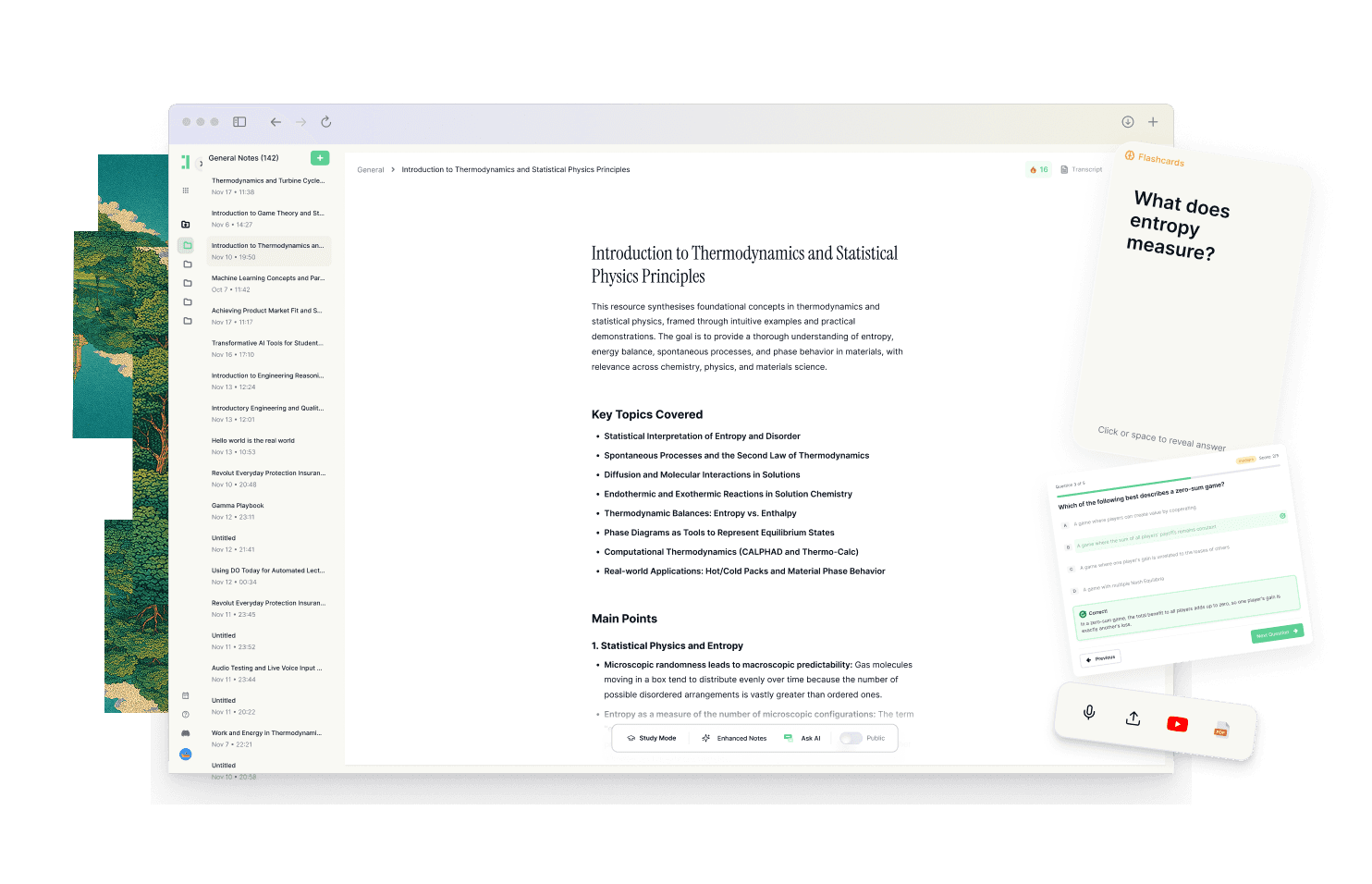
Duetoday is designed specifically as a unified learning workspace. Rather than focusing on editing media, Duetoday focuses on the retention loop. It serves as one place that holds everything you learn, including lectures, PDFs, YouTube videos, and personal notes. You can upload your lecture recordings and get high-quality transcriptions, but that is only the starting point. Unlike a simple transcription tool, Duetoday immediately bridges the gap between raw data and active learning.
The system turns your raw content into structured study outputs. Once a lecture is transcribed, you can generate summaries, cheatsheets, and comprehensive study guides with a single click. It goes a step further by creating active recall tools such as flashcards and quizzes based directly on your materials. If a concept is confusing, you can use the grounded AI chat to ask questions. This AI doesn't give generic answers; it answers based specifically on the context of your uploaded transcripts and documents, ensuring the information is relevant to your specific course.
Integration is at the heart of the Duetoday workflow. It works alongside tools you already use, like Notion, and connects with Google Calendar to ensure your study plans are realistic. By bringing learning inputs and outputs into one workflow, Duetoday reduces fragmentation. You no longer need one app for transcribing, one for notes, and another for flashcards. It keeps your materials connected to the source, so when you are reviewing a flashcard, you can see exactly where that information appeared in the original lecture recording or PDF.
How the Duetoday workflow feels in real life
On a typical Monday, a student finishes a two-hour lecture and immediately uploads the recording to Duetoday. While they grab lunch, the system transcribes the audio and generates a structured summary and a set of practice questions. Instead of spending the evening re-listening to the audio, the student reviews the AI-generated cheatsheet and identifies the three key concepts they didn't quite grasp. They ask the AI tutor to explain those specific concepts using the context from the professor's slides and the lecture transcript.
As the exam approaches, the student doesn't panic or start a frantic search through folders of transcripts. They open their study guide in Duetoday, which has already aggregated points from the Monday lecture, a related YouTube video, and three assigned PDFs. They spend their time doing active recall with the automatically generated flashcards. Because Duetoday is connected to their Google Calendar, their study blocks are already planned out, making the next right action obvious and repeatable until the day of the test.
Duetoday vs Descript in plain English
When comparing these two, the fundamental difference is the goal of the software. Descript is built for editing, while Duetoday is built for learning. The setup time for Descript involves learning a complex timeline-based interface. In contrast, Duetoday is built for immediate utility, allowing you to drop a folder of files and get a study plan instantly. If you are a student, the learning curve of a professional media editor is a distraction you don't need during a busy semester.
In terms of mixed-media support, Descript focuses exclusively on audio and video. Duetoday recognizes that modern learning happens across many formats. If your course involves reading a dozen PDFs alongside watching video modules, Duetoday provides a single brain to house it all. The recall and search capabilities in Duetoday are also more education-focused; instead of just finding a word in a transcript, you are finding the connection between a lecture and a textbook chapter.
Who should choose Duetoday
Duetoday is the ideal choice for university students and self-learners who are lecture-heavy and deadline-driven. If you feel move overwhelmed by the amount of content you have to consume and don't know where to start, Duetoday provides the structure you need. It is perfect for those who want to move from just "having" a transcript to actually "knowing" the material through active recall and structured study outputs.
It is also the right fit for learners who use a variety of sources. If your study process involves jumping between YouTube, lecture recordings, and research papers, Duetoday will save you hours of administrative work by unifying those sources into one intelligence layer. It is for the student who wants to stop being a file manager and start being a high-performer.
Who should still choose Descript
Descript remains the better choice for individuals who are primarily creators or researchers who need to produce high-quality audio or video content. If your final output is a podcast, a documentary, or a polished video presentation, Descript's editing suite is essential. It is also the right tool for those who need highly specific features like voice cloning or advanced noise reduction for professional publishing purposes.
Verdict
The choice between Duetoday and Descript comes down to whether you need a media vault or a study system. Descript is an exceptional tool for storing and editing media, but it leaves the hard work of learning to you. Duetoday solves the fragmentation problem by turning your transcripts and documents into an active retention loop, moving you from raw information to exam readiness in a single, unified workflow.
FAQ
Is Duetoday only flashcards and quizzes?
No, Duetoday is a full-scale learning workspace that handles everything from transcribing raw lectures to organizing PDFs and YouTube videos. While it generates flashcards and quizzes for active recall, it also provides structured notes, summaries, and an AI tutor to help you understand complex topics before you even start testing yourself.
Does Duetoday work for lectures and YouTube?
Yes, you can upload lecture recordings in bulk and import YouTube links directly. Duetoday transcribes the audio and processes the video content so that all your multimedia sources are searchable and integrated into your study materials alongside your PDFs and text notes.
Will it help reduce cramming?
Duetoday is designed to reduce cramming by making it easier to engage with material throughout the semester. By automatically generating study tools as you upload content, it encourages consistent review and helps you identify gaps in your knowledge early, rather than waiting until the night before an exam.
Can I still use Notion or Google Calendar?
Absolutely. Duetoday is built to fit into your existing ecosystem by allowing you to import content from Notion and connect with Google Calendar. This ensures that your study materials are tied to your actual schedule and deadlines, making your workflow more organized and actionable.
Who is Descript still best for?
Descript is still the best tool for students or professionals who need to edit audio and video for public consumption. If your goal is to create a high-quality media file rather than to study the information within it, Descript’s professional creative tools are unbeatable.
The right study system makes the difference between simply possessing information and actually mastering it.
Read More Alternative To Comparison
Turn lectures, PDFs, and notes into AI-Powered summaries, bite-sized
courses, flashcards, quizzes, and study plans.