Best Apple Note Alternatives in 2026 [For Studying]
Looking for a more robust study system than Apple Notes? Compare Duetoday vs Apple Notes to see which tool helps students manage lectures, PDFs, and active recall.
Why people look for a Apple Notes alternative
Apple Notes is often the first tool students reach for because it is fast, free, and already installed on every device they own. It feels reliable for jotting down a quick thought or snapping a photo of a whiteboard during a lecture. However, as the semester progresses, that simplicity often turns into a liability. Students find themselves with hundreds of disconnected notes, cluttered folders, and no clear way to turn those scattered thoughts into exam readiness. The friction of having to manually organize every piece of information leads to a fragmented experience where finding a specific detail from a lecture three weeks ago becomes a chore.
Furthermore, Apple Notes lacks the specialized features required for modern academic success. It does not handle audio transcriptions natively in a way that connects to your study materials, nor does it provide a structured path for active recall. For someone trying to master complex subjects, a blank digital page is rarely enough. The search for an alternative usually begins when a learner realizes they are spending more time managing their notes than actually learning the material inside them.
Quick verdict
At-a-glance:
Best for building a knowledge vault: Apple Notes
Best for a real study system: Duetoday
Best if you want both: Use Apple Notes for quick daily captures and Duetoday for deep learning, retention, and exam preparation.
What Apple Notes is great at
Apple Notes excels in its friction-free entry point. It is deeply integrated into the iOS and macOS ecosystems, allowing users to start a note from the lock screen or via Siri in seconds. For many students, this speed is vital when they are in the middle of a busy day and need to record a sudden insight or a deadline. The app is incredibly lightweight, synchronized perfectly across devices, and supports basic rich text and handwriting via the Apple Pencil, which feels natural for those who enjoy sketching diagrams during class.
The simplicity of Apple Notes is its biggest strength for general productivity. It doesn't force you into a specific workflow or require you to learn complex markdown syntax. You can drag in images, scan documents directly into a note, and share folders with classmates for basic collaboration. For a student who just needs a digital scratchpad to store shopping lists, quick reminders, or simple text-based summaries, Apple Notes remains one of the most reliable and accessible tools on the market.
Where Apple Notes breaks for students on deadlines
The breakdown occurs when simple note-taking meets the high-pressure demands of exam season. Apple Notes can easily lead to productive procrastination, where students spend hours formatting notes and organizing folders, mistakenly believing that this counts as studying. Because the app provides no built-in feedback loop, students often end up with a beautiful vault of information that they haven't actually internalized. When a deadline is forty-eight hours away, having a long list of text notes doesn't help as much as having a set of interactive practice tools.
Moreover, Apple Notes struggles with mixed-media learning integration. While you can attach a PDF or a video link, they live as separate, stagnant objects within the note. There is no way to automatically transcribe a lecture recording or query your gathered materials using AI to find connections between a YouTube video and a textbook chapter. For students dealing with fragmented sources across different platforms, Apple Notes acts as a storage bin rather than an active engine for learning, leaving the hard work of synthesis and memorization entirely up to the user.
What Duetoday does instead
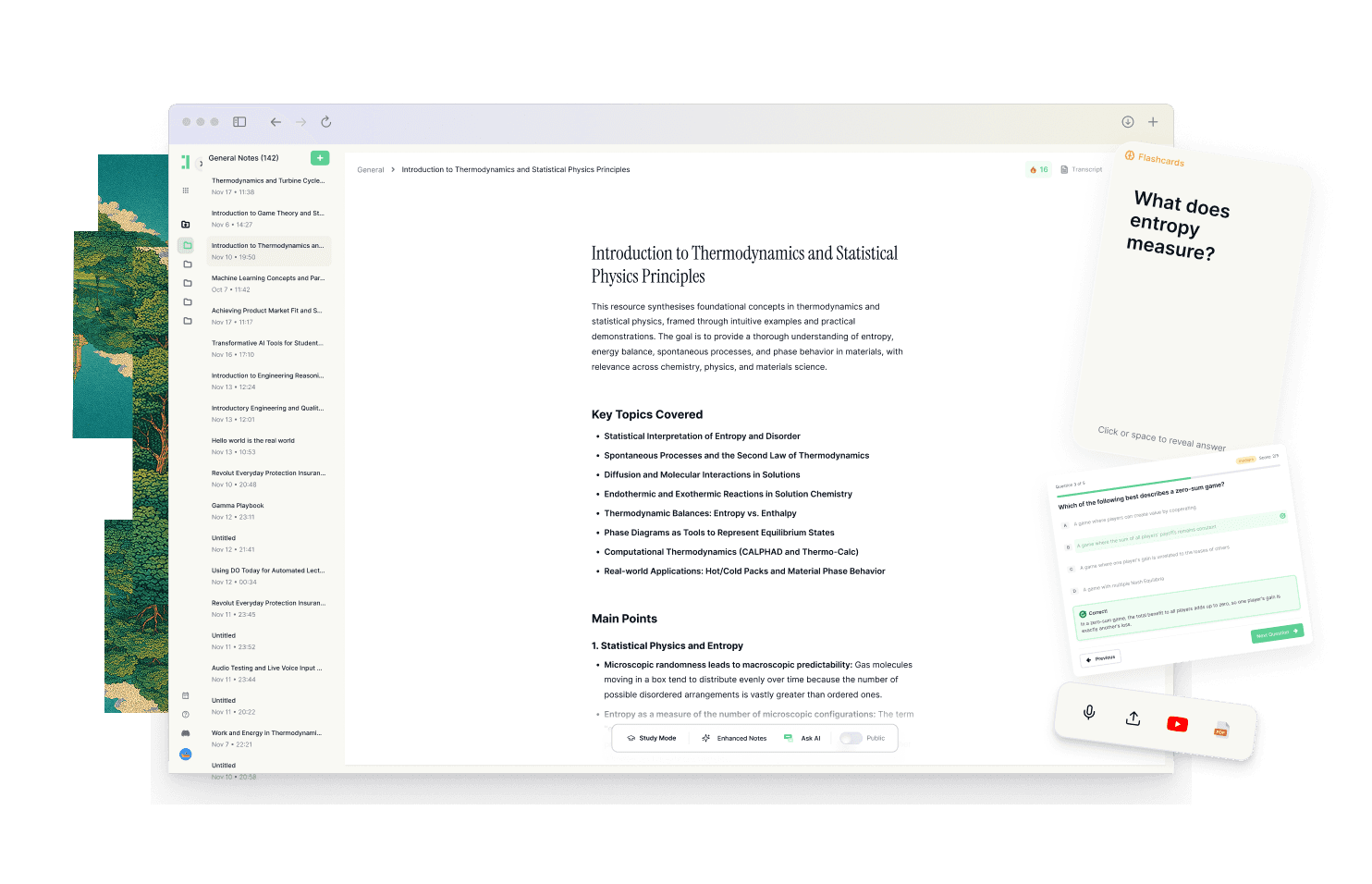
Duetoday serves as a unified learning workspace designed to move students from passive reading to active mastery. Unlike a traditional note app, it creates a retention loop by bringing all your materials into one place. You can upload lecture recordings, PDFs, and YouTube links, or even sync your notes from Notion. Once the content is in the system, Duetoday doesn't just store it; it processes it. It can transcribe audio and turn raw content into structured outputs like summaries, cheatsheets, and comprehensive study guides, ensuring that your materials are immediately useful.
The core of Duetoday is its ability to generate active recall tools directly from your sources. It creates flashcards, quizzes, and practice questions that are grounded in your specific lecture materials, not generic data. This ensures your studying is always relevant to what will actually be on the exam. By connecting your materials to a central "AI Brain," you can ask questions and get answers that cite your own uploaded documents, helping you maintain context and reduce the time spent searching through files. Integrated with Google Calendar, it also helps you plan your study blocks around real deadlines, making the next right action obvious and repeatable.
How the Duetoday workflow feels in real life
Imagine it is Monday afternoon and you just finished a complex biology lecture. Instead of just letting your notes sit in a folder, you upload the audio recording and the professor's PDF slides into Duetoday. By the time you get home, the system has transcribed the lecture and generated a structured summary and a set of practice quizzes based on the most difficult concepts discussed. You spend twenty minutes during your commute reviewing these quizzes, pinpointing exactly what you didn't understand.
As the weekend approaches, you use the AI tutor to clarify a specific point from the PDF that appeared in the quiz. Because Duetoday is connected to your Google Calendar, it suggests a study block for your upcoming midterms. When you sit down to study, you aren't staring at a blank page or a wall of text; you are engaging with a custom-built study guide that has already filtered out the noise, leaving you ready to focus on high-impact review. By the time the exam arrives, you have already practiced the material multiple times through different formats.
Duetoday vs Apple Notes in plain English
The difference between these two tools comes down to the distinction between storage and system. Apple Notes is a digital filing cabinet. It is excellent for keeping things you might want to look at later, but it offers zero assistance in helping you learn that information. The setup time is nonexistent, but the manual labor required to turn those notes into an exam-ready format is significant. You are responsible for creating your own quizzes, your own summaries, and your own connections between different media types.
Duetoday, on the other hand, is a learning engine. While there is a slight learning curve to understanding how to best utilize the AI features, the payoff is a drastically reduced workload. It handles the heavy lifting of organization and content transformation. If you have a PDF, a video, and a transcript, Duetoday treats them as a single body of knowledge. It focuses on the daily routine and consistency that students need to avoid cramming, whereas Apple Notes is purely passive. For a student on a deadline, the automated outputs of Duetoday provide a much faster path to confidence than a folder full of static notes.
Who should choose Duetoday
Duetoday is built for the student who is juggling heavy course loads and high-stakes deadlines. If you find yourself overwhelmed by the volume of information from lectures, textbooks, and online resources, this tool is designed to provide the structure you lack. It is ideal for learners who prefer mixed-media inputs and want a system that automatically generates study materials like flashcards and practice questions. If your goal is retention and high performance on exams rather than just archiving thoughts, Duetoday is the better fit.
Who should still choose Apple Notes
Apple Notes remains the superior choice for users who prioritize extreme simplicity and privacy above all else. If you are a casual learner or someone who needs a tool primarily for quick capture, lists, and long-term storage of text-based information, Apple Notes is hard to beat. It is also the right tool for those who deep-dive into manual note-taking and prefer to hand-write every detail without the assistance of AI or structured study systems.
Verdict
The choice between Duetoday and Apple Notes is a choice between a retention-focused study system and a general-purpose note vault. Apple Notes will store your information reliably, but Duetoday will transform that information into a unified workflow that ensures you actually remember it for your exams.
FAQ
Is Duetoday only flashcards and quizzes?
No, Duetoday is a full learning workspace that includes transcription services, AI-powered summaries, and a context-aware tutor. While active recall tools like flashcards are a core part of the retention loop, it also serves as a central hub for all your lecture notes, PDFs, and research materials.
Does Duetoday work for lectures and YouTube?
Yes, Duetoday is designed for mixed-media learning and allows you to upload lecture recordings directly for transcription. You can also import YouTube links and website content, which the AI then analyzes to create summaries and study guides based on that specific video or article.
Will it help reduce cramming?
By connecting with your Google Calendar and generating bite-sized practice tools, Duetoday encourages consistent, spaced review sessions. It helps you identify gaps in your knowledge early on so you don't have to relearn everything the night before a big exam.
Can I still use Notion or Google Calendar?
Absolutely, Duetoday is designed to complement your existing workflow by importing content from Notion and syncing with your Google Calendar. This allows you to use Notion for long-form project management while Duetoday handles the actual learning and recall of that content.
Who is Apple Notes still best for?
Apple Notes is ideal for users who want a free, fast, and simple way to record text and sketches across Apple devices. It remains a top choice for those who do not need AI assistance or structured study tools and simply want a digital place for quick thought capture.
Finding the right workflow means choosing the tool that supports your end goal of learning.
Read More Alternative To Comparison
Turn lectures, PDFs, and notes into AI-Powered summaries, bite-sized
courses, flashcards, quizzes, and study plans.